
 By
ByIf you build websites for clients or manage your own design portfolio, you already know how important the right tools are. WordPress is powerful on its own, but the right WordPress plugins for designers take it to a completely different level.
The problem is there are over 59,000 plugins in the WordPress repository. Finding the good ones without wasting hours is the real challenge.
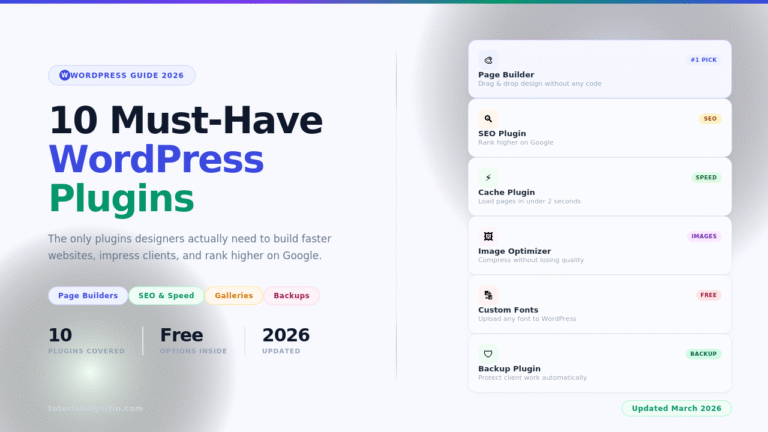
I have been using WordPress for years and have tried more plugins than I can count. In this post, I am sharing the 10 best WordPress plugins for designers in 2026 — tools that actually make your workflow faster, your websites better, and your clients happier.
Whether you are building portfolio sites, client websites, or your own blog, there is something on this list for you.
What Makes a Good WordPress Plugin for Designers?
Before jumping into the list, it helps to know what to look for. Not every popular plugin is actually good for design-focused work.
Here is what you should check before installing any plugin:
Active installs: More than 100,000 active installs is generally a good sign. It means the plugin is widely tested and trusted.
Recent updates: If a plugin has not been updated in over a year, it could have security gaps or compatibility issues with newer versions of WordPress.
Support response: Check the support tab on WordPress.org. If questions go unanswered for weeks, that is a red flag.
Performance impact: Poorly coded plugins slow down your website. Always check reviews mentioning site speed before installing anything.
What it solves: You do not need 20 plugins. Pick ones that solve real problems in your design workflow and skip the rest.
With that in mind, here are the 10 WordPress plugins for designers you actually need in 2026.
10 Best WordPress Plugins for Designers in 2026
1. Elementor
Best for: Page building, layout design, drag-and-drop editing
Elementor is the most popular page builder in the WordPress world, and for good reason. It gives you a visual drag-and-drop editor that lets you design any page without touching a single line of code.
You can control fonts, colors, spacing, animations, and responsive behavior all from one clean interface. The widget library is massive, with over 100 design elements you can drag directly onto your page.
For designers who hand off websites to clients who are not technical, Elementor is a lifesaver. Clients can edit text and images without breaking the layout.
What makes Elementor one of the top WordPress plugins for designers is the Theme Builder feature. You can design your header, footer, single post template, and archive pages visually, giving you full control over every part of the website.
Pricing: Free version available. Elementor Pro starts at $59/year.
Free plan: Yes, very capable free version.
2. Rank Math SEO
Best for: On-page SEO, schema markup, content optimization
Every website a designer builds needs solid SEO from day one. Rank Math is the best SEO plugin in 2026 for that job.
It walks you through optimizing each page and post with a real-time score. You set a focus keyword, and Rank Math checks whether your title, meta description, headings, content, and images all use it correctly. The checklist is clear, detailed, and easy to follow.
Beyond basic SEO, Rank Math automatically adds schema markup (structured data) to your pages, which helps Google understand your content better and can earn you rich snippets in search results.
For designers running client websites, Rank Math’s white-label option lets you hide the plugin branding so everything looks professional.
Among WordPress plugins for designers who care about search visibility, Rank Math is the one I recommend over all others.
Pricing: Free version is excellent. Rank Math Pro starts at $6.99/month.
Free plan: Yes, one of the best free SEO plugins available.
3. WP Rocket
Best for: Website speed, caching, performance optimization
A slow website kills your design work. No matter how beautiful your layout is, if your pages take 5 seconds to load, visitors will leave before they see any of it.
WP Rocket is a caching and performance plugin that makes WordPress websites noticeably faster within minutes of activation. It handles page caching, browser caching, file minification, lazy loading images, and database optimization all in one place.
The setup is simple. You install it, turn on the basic settings, and your site is faster. You do not need technical knowledge to get results.
For designers delivering client projects, WP Rocket is one of the most important WordPress plugins for designers to have in your toolkit. A fast website means happier clients, better Google rankings, and lower bounce rates.
Pricing: Starts at $59/year for one website.
Free plan: No free plan, but there is a 14-day money-back guarantee.
Also Read: AI Tools for Graphic Designers
4. Smush
Best for: Image optimization, compression, lazy loading
Designers use a lot of images. Large, unoptimized images are the number one reason WordPress websites load slowly. Smush fixes this automatically.
When you upload an image, Smush compresses it without any visible quality loss. It also handles bulk optimization, so you can compress your entire media library with one click. The lazy loading feature means images only load when a visitor scrolls to them, which saves bandwidth and speeds up the initial page load.
Smush also detects incorrectly sized images — for example, if you have uploaded a 3000px image but are displaying it at 600px, Smush will flag it and resize it to the correct dimensions.
For WordPress plugins for designers dealing with portfolio sites or photography websites, Smush is non-negotiable.
Pricing: Free plan available. Smush Pro starts at $7.50/month.
Free plan: Yes, covers the most essential image optimization features.
5. Envira Gallery
Best for: Photo galleries, portfolios, image showcases
If you are building a portfolio website or any site that needs to display images beautifully, Envira Gallery is the best option available.
It gives you a clean, responsive gallery builder with layouts like masonry, mosaic, and thumbnail grids. You can build a gallery from scratch or choose from their ready-made templates. Every gallery is mobile-friendly and loads fast.
The tag filtering feature is particularly useful for portfolio sites. Visitors can filter your work by category — say, logo design, web design, or branding — without leaving the page.
Envira Gallery handles all the lightbox, hover effects, and responsive behavior automatically, which saves a lot of custom CSS work. Among WordPress plugins for designers who need a professional image showcase, this is the one to use.
Pricing: Free plan available. Pro plan starts at $39/year.
Free plan: Yes.
6. Custom Fonts (by Extendify)
Best for: Loading custom fonts, typography control
Typography is one of the most important parts of any design. WordPress by default gives you access to Google Fonts, but sometimes you need something more specific — a paid font, a custom brand typeface, or a font you have downloaded.
The Custom Fonts plugin by Extendify lets you upload any font file (TTF, OTF, WOFF, WOFF2) directly to your WordPress site and use it anywhere — in page builders, themes, or custom CSS.
No external font service, no privacy concerns from loading fonts from third-party servers, and no slowdown from external requests. The font lives on your server and loads fast.
For designers who care about typography details, Custom Fonts is one of the most practical WordPress plugins for designers in this list. It is lightweight, simple, and solves a real problem.
Pricing: Completely free.
Free plan: Yes, fully free.
7. YellowPencil
Best for: Live CSS editing, visual style customization
Sometimes you need to make quick style adjustments to a theme without digging into code files. YellowPencil is a visual CSS editor that lets you click on any element on your page and style it directly.
You can change colors, fonts, sizes, padding, borders, and more — all visually, in real time. The changes are saved as CSS that WordPress applies automatically, so you never touch the theme files directly.
This is especially useful when you are working with a theme that is close to what the client wants, but needs a few visual tweaks. Instead of writing custom CSS in the Customizer, you click the element and change it.
Among WordPress plugins for designers who do light customization work across many client sites, YellowPencil saves a lot of time.
Pricing: Premium plugin. One-time purchase from CodeCanyon for around $23.
Free plan: No, but very affordable.
8. WPForms
Best for: Contact forms, inquiry forms, lead capture
Every designer’s website needs a contact form. WPForms is the easiest way to build one in WordPress.
The drag-and-drop form builder requires zero coding. You can create contact forms, project inquiry forms, quote request forms, and even multi-step forms in minutes. The form builder has conditional logic, which means you can show or hide fields based on what the user selects — very useful for detailed project inquiry forms.
The notifications and confirmation settings let you send automatic emails to both yourself and the person who submitted the form. Smart CAPTCHA prevents spam without annoying visitors.
WPForms has over 6 million active installs, which tells you how trusted it is. For WordPress plugins for designers who want a clean, reliable contact solution, WPForms is the standard.
Pricing: Free version available. Plus plan starts at $49.50/year.
Free plan: Yes, covers basic contact forms perfectly.
9. UpdraftPlus
Best for: Website backups, disaster recovery
This one does not affect your design directly, but it protects everything you have built. UpdraftPlus is the most trusted backup plugin for WordPress, with over 3 million active installs.
It creates full backups of your website — files, database, plugins, themes, everything — and sends them automatically to cloud storage like Google Drive, Dropbox, or Amazon S3. You can schedule backups daily, weekly, or after every significant change.
For designers managing client websites, UpdraftPlus is peace of mind. If something goes wrong — a bad plugin update, a server crash, or a client accidentally deleting their own content — you can restore the full site in a few clicks.
A designer who does not take regular backups is taking a serious risk. UpdraftPlus is one of those WordPress plugins for designers that you hope you never need, but you will be very glad it is there when something goes wrong.
Pricing: Free plan available. Premium starts at $70/year.
Free plan: Yes, the free version handles most backup needs.
10. Slider Revolution
Best for: Hero sliders, animated sections, interactive content
Slider Revolution started as a slider plugin but has grown into a full creative toolkit for building animated hero sections, interactive storytelling elements, and visually engaging page blocks.
It comes with hundreds of professionally designed templates that you can import and customize. The animation timeline gives you precise control over how elements move on screen. The output is responsive and works smoothly on mobile.
For designers building high-impact landing pages, agency websites, or any site that needs visual drama, Slider Revolution delivers results that would take hours to code manually.
It is one of the most downloaded premium WordPress plugins for designers on CodeCanyon, with thousands of positive reviews from web professionals.
Pricing: Around $29 one-time purchase on CodeCanyon.
Free plan: No free plan.
Tips for Choosing WordPress Plugins Without Slowing Your Site
Having the right plugins is important. Having too many is a problem. Here are a few rules to follow when building your plugin stack.
Rule 1 — Less is more. Every plugin adds code to your site. The leaner your plugin list, the faster your site will load. Aim to keep your total plugin count under 15 for most sites.
Rule 2 — One plugin per job. If you already have Elementor for page building, you do not also need Beaver Builder. Pick one and stick with it.
Rule 3 — Check compatibility. Before installing a new plugin, make sure it is tested with your current version of WordPress. The plugin page on WordPress.org shows this clearly.
Rule 4 — Test on staging first. Never install a new plugin directly on a live client site. Set up a staging environment, test it there first, and only push it live once you are sure it works.
Rule 5 — Delete unused plugins. Deactivated plugins that are still installed can still be a security risk. If you are not using a plugin, delete it completely.
FAQs About WordPress Plugins for Designers
How many plugins should a WordPress site have?
There is no fixed number, but most well-optimized sites run between 10 and 20 plugins. What matters more than the number is the quality of each plugin and how well they are coded. Five poorly coded plugins will slow your site more than 20 lightweight ones.
Are free WordPress plugins safe to use?
Most free WordPress plugins for designers from the official WordPress.org repository are safe. They go through a basic review process. Always check the update frequency, active installs, and user reviews before installing anything.
Which page builder is best for designers in 2026?
Elementor is the most widely used page builder for designers in 2026. It offers the best balance of design flexibility, ease of use, and community support. Brizy and SeedProd are strong alternatives.
Do I need a separate SEO plugin if I use Elementor?
Yes. Elementor handles design and layout. SEO is a separate job. Rank Math or Yoast SEO should always be installed alongside any page builder.
Which is the best free SEO plugin for WordPress?
Rank Math’s free version is the strongest free SEO option for WordPress in 2026. It covers focus keywords, meta tags, schema markup, and sitemap generation — all for free.
Can too many plugins crash a WordPress site?
Yes, if plugins conflict with each other or with your theme. This is why testing on a staging site before going live is so important. Plugin conflicts are the most common cause of WordPress errors.
Final Thoughts
The WordPress plugins for designers on this list cover every major part of building and maintaining a great website — design, SEO, speed, images, forms, backups, and typography.
You do not need all of them at once. Start with the ones that solve your current problems. If speed is your issue, start with WP Rocket and Smush. If SEO is lagging, add Rank Math. If you need a portfolio gallery, Envira Gallery is your first stop.
The best WordPress plugins for designers are the ones that save you time, improve your output, and let you focus on what you actually enjoy — the creative work.
If you have a favorite plugin that I missed, drop it in the comments. I would love to know what other designers are using in 2026.
Subscribe for Newsletter

