
 By
ByMeta Muse Glimmer is a 30-billion-parameter open-weight AI agent that Meta released on August 10, 2026, built to run entirely on a single consumer GPU instead of a data center. It solves a specific problem: most agentic AI models are too large to run locally, so every request has to go through a cloud API. Muse Glimmer fits inside 24GB of VRAM while still handling multi-step coding and reasoning tasks on your own machine.
What Is Meta Muse Glimmer?
Meta Muse Glimmer is Meta’s first agentic model shipped with fully open weights and a license that permits commercial use without extra conditions. It is distilled from a larger internal model called Muse Spark. According to Meta’s official announcement on Hugging Face (August 2026), Glimmer keeps its parent model’s multi-step planning and tool-use ability while shrinking to a size that fits on hardware an individual developer actually owns.
Glimmer also ships with a dedicated perception encoder, so it accepts interleaved text and images in the same conversation rather than plain text alone. TechCrunch (August 10, 2026) described the release as an early sign of Meta’s “personal intelligence” strategy: agents that run on a user’s own device instead of routing every request through Meta’s servers.
Why Did Meta Release Muse Glimmer Now?
The push toward smaller, locally deployable agentic models did not happen in isolation. Through 2026, Chinese labs released a wave of open-weight frontier models at aggressive prices, pressuring Western AI companies to compete on more than raw benchmark scores. TechCrunch’s August 10, 2026 coverage tied Muse Glimmer directly to this shift, framing it as Meta’s answer to a market where developers increasingly want models they can own, inspect, and run without a subscription.
There is also a practical cost argument. Running agentic workloads through a cloud API means paying per token for every planning step, tool call, and retry a model makes, and agentic tasks can involve dozens of steps per request. A locally hosted model like Muse Glimmer replaces that recurring cost with a one-time hardware investment, which matters most for teams running large batches of automated agent tasks, such as continuous code review or evaluation pipelines.
How Many Parameters Does Meta Muse Glimmer Have, and What Hardware Does It Need?
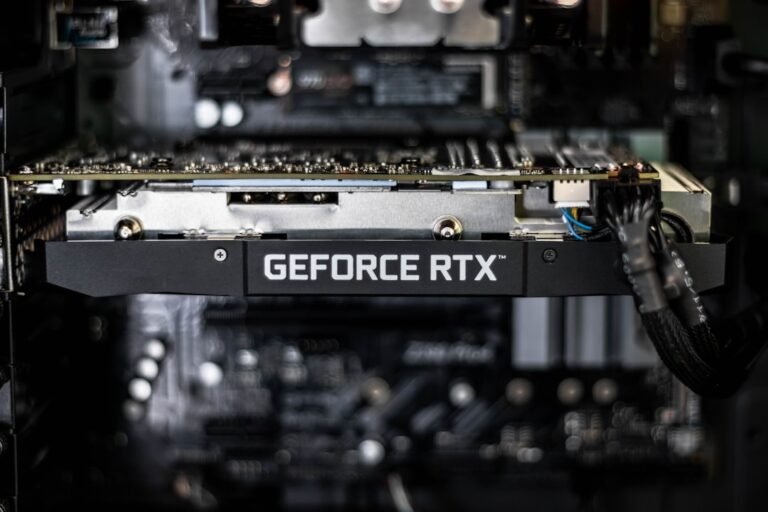
Meta Muse Glimmer has 30 billion parameters, and Meta compressed the released checkpoints to roughly 4-bit precision so the model fits inside a 24GB memory envelope, according to reporting from Forbes and ghacks.net (August 11, 2026). That is the VRAM found on a single high-end consumer card, such as an RTX 4090 or RTX 5090, or on an Apple silicon Mac with enough unified memory.
This matters because most 30B-class agentic models ship at full precision and need 60GB or more of VRAM, which usually means renting cloud GPU time just to test the model. Muse Glimmer removes that requirement for anyone who already owns capable consumer hardware, and it opens local agentic AI to solo developers and small teams who cannot justify a dedicated GPU server.
How Is Meta Muse Glimmer Different From Muse Spark?
Muse Spark is Meta’s larger, full-size source model, and Muse Glimmer is a distilled version of it built specifically for local deployment. Distillation trains a smaller model to reproduce the behavior of a larger one, so Glimmer keeps most of Spark’s agentic reasoning while cutting the memory footprint dramatically.
MarkTechPost (August 10, 2026) reported that Glimmer was trained and evaluated specifically for end-to-end agentic task completion, multi-step reasoning, and optimized local deployment, rather than being a general-purpose chat model scaled down. That training focus is why Meta positions it as a coding and tool-use agent first, and a conversational assistant second.
In practice, this means Glimmer is tuned to chain function calls, track state across a long task, and recover when a tool call fails, rather than optimized purely for open-ended conversation quality. If you need a general chatbot for casual conversation, a different model in Meta’s lineup may be a better fit than Glimmer.
What License Does Meta Muse Glimmer Use, and Can You Use It Commercially?
Meta Muse Glimmer ships under the Apache 2.0 license, according to its Hugging Face model card (August 2026). Apache 2.0 is a permissive open-source license, so you can download the weights, modify them, and use the model in a commercial product without paying Meta or negotiating a separate agreement.
Datanorth.ai (August 2026) noted this is the first Meta agentic model released with open weights and a commercial-use license without additional conditions attached, which sets it apart from some of Meta’s earlier Llama releases that carried usage restrictions above certain user thresholds. For a startup or freelance developer, that difference matters: you do not need to track monthly active users or request a separate license as your product scales.
How Do You Download and Run Meta Muse Glimmer on Your Own GPU?
You can get Meta Muse Glimmer directly from Hugging Face, where Meta publishes several checkpoint formats under the meta-models organization. Follow these steps to run it locally:
- Check your GPU’s VRAM. You need at least 24GB for the quantized release, or 32GB for the higher-fidelity quantization.
- Go to the Muse Glimmer model page on Hugging Face and pick a GGUF checkpoint sized for your hardware.
- Install a local inference runner that supports GGUF models, such as llama.cpp or a compatible wrapper.
- Download the checkpoint file and point your runner at it, allocating the full VRAM budget to the model.
- Test it with a simple coding task first, before trusting it with a multi-step job.
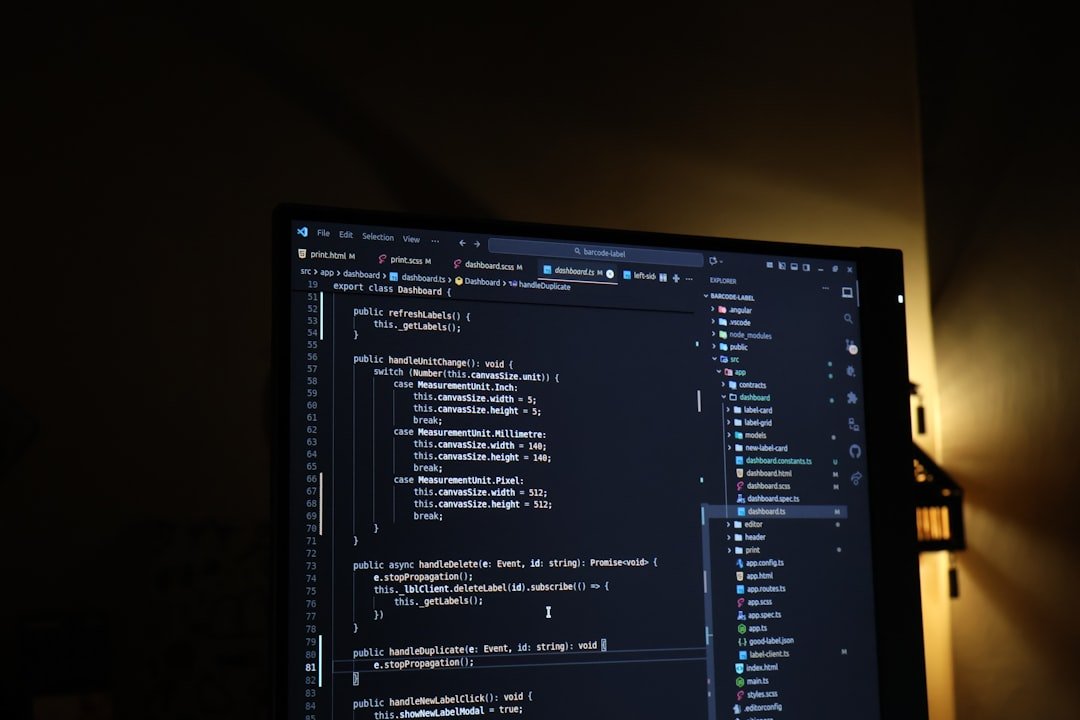
A minimal llama.cpp command to load a downloaded checkpoint and start a local server looks like this:
./llama-server \
  --model muse-glimmer-30b-kquant17.gguf \
  --n-gpu-layers 999 \
  --ctx-size 8192 \
  --port 8080
Once the server is running, you can point any OpenAI-compatible client at `http://localhost:8080` and send it agentic prompts the same way you would call a cloud API, except the request never leaves your machine. If your GPU has less than 24GB, community-quantized builds on Hugging Face, including releases from contributors such as unsloth, sometimes offer smaller footprints at a quality trade-off.
Which Download Format Should You Choose?
Meta publishes Muse Glimmer in multiple formats on Hugging Face, and picking the right one depends on your hardware rather than your use case.
| Format | Target Hardware | Best For |
|---|---|---|
| BF16 (full precision) | Multi-GPU or cloud, 60GB+ VRAM | Maximum accuracy, server deployment |
| K-Quant-17GB (GGUF) | 24GB consumer GPU | Local single-GPU inference |
| K-Quant-Dynamic (GGUF) | 32GB VRAM | Balanced speed and accuracy |
| ExecuTorch build | Apple silicon and edge devices | On-device desktop or mobile apps |
If you are only testing Muse Glimmer for the first time, start with the K-Quant-17GB release. It is the format Meta specifically sized for the 24GB consumer GPU class, so it needs the least manual tuning to get running.
What Kind of GPU Do You Need to Buy for Meta Muse Glimmer?
If you do not already own a 24GB-or-larger GPU, the practical entry point for Meta Muse Glimmer is a single high-end consumer card rather than a data-center part. Cards in the RTX 4090 and RTX 5090 class ship with 24GB or more of VRAM and are sold as standard consumer hardware, not specialized AI accelerators, which is exactly the class of hardware Meta targeted with the K-Quant-17GB release.
Apple silicon Macs are the other realistic option, since unified memory lets the GPU address the same pool of RAM the rest of the system uses. A Mac with 32GB or more of unified memory can run the K-Quant-Dynamic build without a discrete graphics card at all, which makes it a reasonable choice for developers who already do their work on a Mac and do not want to build a separate PC just to host a model.
Either way, the hardware bar is meaningfully lower than what full-precision 30B models have historically required. Before quantized, agent-tuned releases like Glimmer, running a model this size locally usually meant multiple GPUs or a rented cloud instance, not a single desktop card.
How Does Meta Muse Glimmer Perform on Agentic Benchmarks?
Meta evaluated Muse Glimmer on full-task agentic benchmarks including DeepSearch QA, MCP-Atlas, tau3-Bench, and SWE-Bench, according to the model’s Hugging Face documentation (August 2026). These benchmarks measure whether a model can work inside a tool-use scaffold, write and debug real code, and resolve multi-turn requests from start to finish, not just answer isolated questions.
Kingy.ai’s benchmark writeup (August 2026) reported that Muse Glimmer performs strongly for its size class against similarly sized open models, including Gemma4-31B and Qwen3.6-27B, on several widely used LLM benchmarks. That comparison matters because those two models are among the most commonly used open 27B-to-31B parameter models as of mid-2026, so beating or matching them signals Glimmer is competitive rather than a novelty release.
Meta has not published head-to-head scores against closed frontier models like GPT-5 or Claude Opus, so treat Glimmer as a strong open, local option rather than a frontier-model replacement. If your task genuinely needs the highest possible reasoning ceiling, a cloud frontier model will still likely outperform a 30B local model, quantized or not.
What Can You Actually Build With Meta Muse Glimmer?
Meta Muse Glimmer is built for local coding agents that can read a codebase, write patches, run tests, and retry when something fails, without sending your source code to a third-party API. That makes it a reasonable fit for teams working with proprietary code who are uncomfortable sending it to an external model provider.
It also works well as an LLM-as-a-judge for evaluating outputs from other models or automated pipelines, since it runs cheaply enough to score large batches of results without per-token billing. Because it accepts interleaved text and images through its perception encoder, you can use it for tasks like reviewing a screenshot of a UI bug alongside the relevant code, or summarizing a diagram next to written documentation.
Meta’s own materials position it as a foundation for “personal” agent workflows: a private assistant that runs continuously on a user’s own machine, watching for tasks like triaging email drafts, monitoring a local file system, or running scheduled scripts, all without a live internet connection once the model is downloaded.
How Does a Local Model Like Meta Muse Glimmer Compare to Cloud AI Agents?
Cloud AI agents from providers like Anthropic and OpenAI generally offer stronger raw reasoning and no local hardware requirement, but they charge per token and send your data off your machine for every request.
| Factor | Meta Muse Glimmer (Local) | Cloud AI Agents |
|---|---|---|
| Cost model | One-time hardware cost, no per-token fee | Ongoing per-token API billing |
| Data privacy | Runs on your own GPU, nothing leaves your machine | Requests sent to a third-party server |
| Setup effort | Requires GPU and local inference tooling | API key and a few lines of code |
| Internet requirement | Works fully offline once downloaded | Requires a live connection |
| Raw capability ceiling | Strong for its 30B size class | Generally higher on frontier benchmarks |
If you already run local coding assistants, Meta Muse Glimmer is worth testing alongside the cloud-based tools covered in our guide to AI coding assistants, since the two approaches solve different problems rather than directly competing. Many developers end up using both: a local model like Glimmer for routine, high-volume tasks, and a cloud frontier model for the hardest problems.
Should You Choose Meta Muse Glimmer Over Other Open Local Models?
Muse Glimmer is not the only open agentic model that fits on consumer hardware, but its combination of size, license, and Meta’s backing makes it a reasonable default choice as of August 2026. Models like Gemma4-31B and Qwen3.6-27B are close competitors in the same parameter range, and the right pick often comes down to which one your inference tooling already supports well.
If you are choosing between them, weigh three things: license terms for your specific commercial use case, how actively the model’s ecosystem is maintained, and whether your chosen quantization format has stable tooling support. Because Glimmer only shipped in August 2026, expect its surrounding tooling, community fine-tunes, and troubleshooting resources to keep expanding over the following months.
What Are the Limitations of Running Meta Muse Glimmer Locally?
Meta Muse Glimmer still needs real GPU hardware. Without a 24GB card or an Apple silicon Mac with enough unified memory, you cannot run it at the quality Meta intended, and undersized hardware forces you into lossier community quantizations. Local inference is also generally slower per token than a well-optimized cloud API, since consumer GPUs lack the batching and parallelism of data-center clusters.
The model is also newly released as of August 2026, so its tooling ecosystem, third-party wrappers, and bug fixes are still catching up compared to more established open models. Expect rough edges in the first few months after launch, including inconsistent support across different inference runners and occasional quantization-specific bugs that get patched over time.
Frequently Asked Questions
Is Meta Muse Glimmer free to use?
Yes. Meta Muse Glimmer ships under the Apache 2.0 license and is free to download, modify, and use commercially without paying Meta, according to its Hugging Face model card (August 2026).
Can Meta Muse Glimmer run without a GPU?
Not practically. The released checkpoints are built around a 24GB or 32GB VRAM budget, so CPU-only inference would be extremely slow for agentic, multi-step tasks. A dedicated GPU or an Apple silicon Mac with sufficient unified memory is effectively required.
Is Meta Muse Glimmer better than Claude or GPT for coding?
No independent head-to-head benchmarks against frontier closed models like Claude or GPT-5 have been published as of August 2026. Glimmer is designed to be a strong local, private option, not a frontier-model replacement, so capability trade-offs against cloud agents like the ones covered in our Claude AI 2026 guide should be tested for your specific use case.
Muse Spark is Meta’s larger, full-size internal model that Muse Glimmer was distilled from. Glimmer keeps most of Spark’s agentic reasoning ability while cutting the parameter count and memory footprint so it runs on consumer hardware.
Where can I download Meta Muse Glimmer?
Meta publishes Muse Glimmer on Hugging Face under the meta-models organization, with BF16, GGUF quantized, and ExecuTorch builds available for different hardware targets, so you can pick the format that matches your GPU.
Does Meta Muse Glimmer support images, or just text?
It supports both. Muse Glimmer includes a dedicated perception encoder that accepts interleaved text and images in the same conversation, so you can combine screenshots or diagrams with written prompts in a single request.
Meta Muse Glimmer is one of the clearest signals yet that agentic AI is moving from cloud-only APIs toward models people can actually own and run themselves. It will not replace frontier cloud agents for every task, but for developers who want a private local coding assistant or a cheap evaluation model, it is worth downloading and testing against the agentic tools you already use, including the options in our roundup of agentic AI and autonomous systems and the local-versus-cloud trade-offs discussed alongside Claude Opus 4.5.
Subscribe for Newsletter

