
 By
ByIntroduction
Opinions are everywhere. People have them about politics, technology, food, sports, the workplace, and just about everything else. But unless someone asks the right question at the right time, those opinions stay locked inside heads and group chats. That is exactly why polls exist.
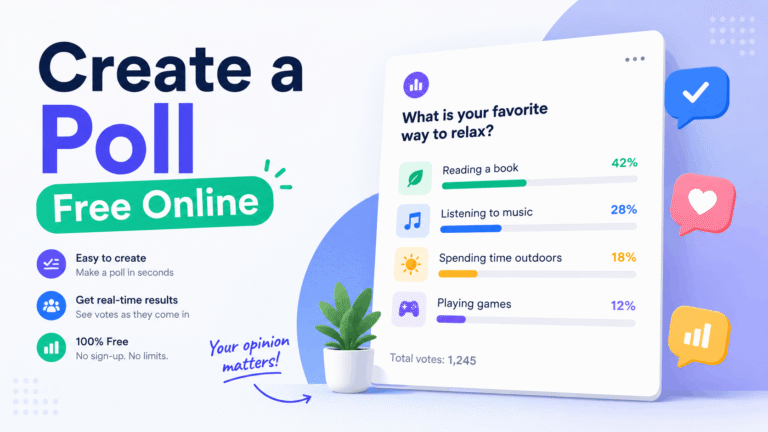
The good news is that you no longer need a research team or a paid enterprise subscription to gather meaningful opinion data. Today, anyone can create a poll free online in a matter of minutes, share it with a global audience, and watch the results come in live. Whether you are a blogger, a brand manager, a student, or just someone who wants to know what the world thinks about something, a free online poll gives you that power directly.
This guide walks you through everything: what online polls are, why they work, how to create one without spending anything, and how to get people to actually vote on it.
What Is an Online Poll?
An online poll is a simple digital questionnaire where respondents choose from a set of predefined options. Unlike surveys that can run dozens of questions, a poll is typically focused on one clear question. That brevity is its biggest strength. People respond to polls because the ask is small and the result feels immediate.
Online polls come in several formats. A Yes/No poll strips everything down to a binary choice. A multiple choice poll lets respondents pick from several options. A ranked choice poll asks people to order their preferences. Each format suits a different kind of question, and the best free online poll tools give you all of them without any cost.
Why Free Online Polls Are More Valuable Than You Think
Polls are not just engagement tools. They are data collection instruments with real strategic value. Here is what a well-crafted free online poll can do for you:
- Validate a product idea before you build it
- Understand your audience’s preferences without running a full survey
- Create shareable content that drives traffic back to your platform
- Measure public sentiment on trending topics in real time
- Generate social proof by showing how many people voted and what they think
The global opinion polling industry is growing steadily, with the market projected to reach over 10 billion dollars by 2030 according to industry research. That growth is partly driven by free digital platforms that have made opinion gathering accessible to individuals and small organizations, not just corporations and government agencies.
Polls get responses because they are quick. The cognitive load is low. You read a question, pick an option, and you are done. That simplicity is what makes them one of the most effective engagement formats online.
How to Create a Poll Free Online in 4 Steps
Creating a free online poll is genuinely straightforward. Here is the process broken down into four clear steps.
Step 1: Choose Your Poll Platform
The first decision is where you create your poll. There are several free platforms available, each with different strengths. Some are built purely for data collection. Others are designed with a global, visual, map-based experience in mind, like Voxyon, which lets you see how opinion breaks down across countries in real time.
When picking a platform, look for these features at the free tier: no login required to vote, shareable links, live result updates, and the ability to embed the poll on your website or share it on social media.
Step 2: Write a Clear, Focused Question
The quality of your poll depends almost entirely on how you phrase your question. A good poll question is unambiguous, focused on one idea, and free from leading language. Compare these two versions:
- Weak: “Don’t you think remote work is better for productivity?”
- Strong: “Do you think remote work increases personal productivity?”
The first version nudges respondents toward a particular answer. The second version gives them a genuine choice. For a free online poll to produce useful data, the question needs to be neutral and precise.
Keep the answer options mutually exclusive. If someone can plausibly choose two options, your results will be muddied. Add an “Other” or “Not sure” option if the topic genuinely has grey areas.
Step 3: Set Your Poll Up and Customize It
Once your question and options are ready, the actual setup takes very little time. Most free online poll platforms walk you through this in a form. You add your question, enter the answer choices, and choose whether results should be visible to voters after they submit.
Some platforms let you set an expiry date for the poll, restrict voting to one vote per device, or add an image to give the poll more visual context. These options are worth using because they add credibility and make the poll feel more intentional.
Step 4: Share It and Drive Votes
A poll with zero respondents tells you nothing. Getting votes is the real challenge, and it is entirely doable without a paid promotion budget.
Start by sharing the poll link directly in spaces where your audience already spends time. WhatsApp groups, Telegram channels, Reddit threads, LinkedIn posts, and Instagram Stories are all effective depending on your context. If the poll topic is genuinely interesting or timely, people share it organically because they want to see how others voted.
Embedding the poll on your blog or website also works well for SEO-driven traffic. A visitor who arrives looking for information on a topic and encounters a live poll related to that topic is far more likely to engage than one who just reads static text.
What Makes People Actually Vote on a Poll?
Creating the poll is the easy part. Getting people to vote on it takes a bit more thought. Based on how polls perform across different platforms, a few patterns stand out.
- Relevance to current events drives votes: polls tied to something happening right now outperform evergreen polls significantly
- Curiosity about other people’s opinions is a major motivator: showing live results after voting taps into this
- Short answer options perform better than long ones: keep each choice under ten words where possible
- A personal or slightly provocative question gets more responses than a purely informational one
- Polls shared in communities outperform polls shared to cold audiences
The biggest mistake most people make when they create a free online poll is treating it as a one-time post. Polls that are discussed, referenced in follow-up content, and revisited once results are in generate far more total engagement.
How to Use Poll Results as Content
One of the most underused aspects of free online polls is the content they produce after the voting ends. Once you have real data from real people, you have something original to say.
A poll that asked “Should AI be regulated by governments?” and received three thousand votes across fourteen countries is not just a poll anymore. It is a data story. You can write an article about the results, share country-level breakdowns on social media, use the data as a source in a longer piece, or pitch the findings to journalists who cover the topic.
This is the model that serious opinion platforms operate on. The poll is the beginning of the content, not the end of it.
Free vs Paid Poll Tools: What You Actually Need
Many of the most widely used online poll platforms offer free plans that are more than sufficient for most use cases. Paid plans typically add features like removing branding, accessing demographic data, exporting results to CSV, running polls with larger response limits, or getting advanced analytics.
For a blogger or a small brand, a free online poll tool covers everything needed to gather feedback, engage an audience, and produce shareable content. Upgrading makes sense only if you need scale, white-labeling, or deep integrations with other business tools.
The key is to choose a platform that keeps the core experience clean for voters. If someone lands on your poll and faces a signup wall or a slow-loading page before they can vote, you will lose a significant share of potential respondents.
Voxyon: A Free Online Poll Built for Global Opinion
Voxyon takes the concept of a free online poll and extends it to a world map. When you create a poll on Voxyon and people vote from different countries, those votes are visualized geographically in real time. You can see not just what people think, but where they think it.
This makes Voxyon particularly useful for topics with genuine global relevance: climate, technology, culture, sports, economics, and politics. It also makes the results more visually compelling to share, since a world map with vote distributions tells a richer story than a simple bar chart.
You can create a free online poll on Voxyon without an account, share it via a link or QR code, and start collecting votes from anywhere in the world. The platform is designed to be open, fast, and as frictionless as possible for voters.
Conclusion: Your Next Poll Is Two Minutes Away
Polls are one of the simplest ways to understand what people think, create engaging content, and build an audience that feels heard. The barrier to running one has never been lower.
If you have a question worth asking, go ask it. Create a free online poll today, share it somewhere your audience exists, and let the world tell you what it thinks. The results will almost always surprise you, and that surprise is half the value.
Ready to create your first poll? Head to Voxyon.com, write your question, and see where the world stands. It is free, no account needed.
Subscribe for Newsletter

