
 By
ByEnhancing your WordPress site’s visibility in search results is crucial for attracting more visitors. One effective method is to add JSON-LD schema in WordPress, which helps search engines understand your content better and display rich snippets. This guide will walk you through six simple steps to implement JSON-LD schema on your WordPress site.
1. Understand the Importance of JSON-LD Schema
JSON-LD (JavaScript Object Notation for Linked Data) is a format recommended by Google for structuring data. By adding JSON-LD schema to your website, you provide search engines with detailed information about your content, leading to enhanced search result displays, such as rich snippets. This can improve click-through rates and overall SEO performance.
2. Choose the Appropriate Schema Type
Before implementing schema, identify the type that best matches your content. Common schema types include:
- Article: For blog posts and news articles.
- Product: For e-commerce product pages.
- LocalBusiness: For businesses with physical locations.
- FAQPage: For pages with frequently asked questions.
For a comprehensive list of schema types, visit Schema.org.
3. Generate JSON-LD Schema Markup
Once you’ve chosen the appropriate schema type, generate the JSON-LD markup. You can use online tools like the Schema Markup Generator by TechnicalSEO. Fill in the required fields, and the tool will generate the JSON-LD code for you.
4. Add JSON-LD Schema to Your WordPress Site
There are multiple methods to add JSON-LD schema to your WordPress site:
Using a Plugin
Plugins simplify the process of adding schema markup. Here are some popular options:
- Schema Pro: Supports over 20 schema types and integrates seamlessly with WordPress. Learn more.
- All In One Schema Rich Snippets: A free plugin that supports essential schema types like Article, Product, and Review. Learn more.
To use a plugin:
- Install and activate the chosen plugin from the WordPress Plugin Directory.
- Navigate to the plugin’s settings and configure the schema type for your content.
- Fill in the necessary details as prompted by the plugin.
Manually Adding Schema
If you prefer not to use a plugin, you can add the JSON-LD code manually:
- Access your WordPress dashboard and go to Appearance > Theme File Editor.
- Select the
header.phpfile from the right sidebar. - Locate the closing
</head>tag. - Paste your JSON-LD script just before the closing
</head>tag:
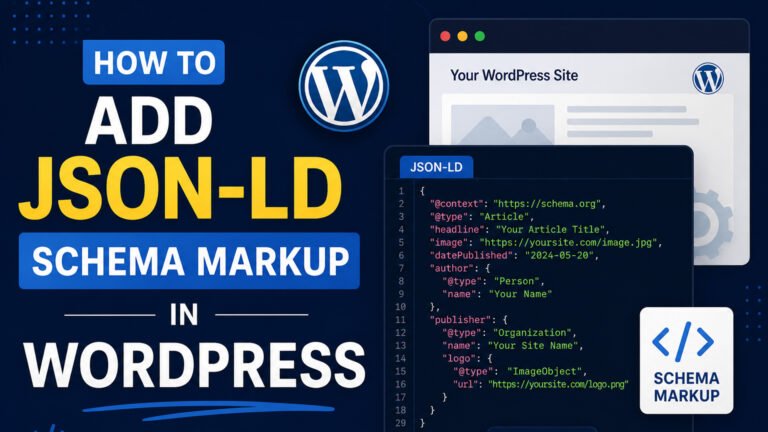
<script type="application/ld+json">
{
  "@context": "https://schema.org",
  "@type": "Article",
  "headline": "Your Article Title",
  "author": {
    "@type": "Person",
    "name": "Author Name"
  },
  "datePublished": "2026-05-04",
  "dateModified": "2026-05-04",
  "mainEntityOfPage": {
    "@type": "WebPage",
    "@id": "https://yourwebsite.com/your-article-url"
  }
}
</script>
Replace the placeholder values with your actual content details.
5. Validate Your Schema Markup
After adding the schema, it’s essential to validate it to ensure there are no errors. Use Google’s Rich Results Test to check your implementation:
- Enter the URL of the page where you’ve added the schema.
- Click Test URL.
- Review the results for any errors or warnings.
6. Monitor and Maintain Your Schema Markup
Regularly monitor your schema markup to ensure it remains accurate and up-to-date. As your content evolves, update the schema accordingly. Additionally, keep an eye on Google’s Search Console for any schema-related issues.
FAQs
What is JSON-LD schema?
JSON-LD (JavaScript Object Notation for Linked Data) is a method of encoding linked data using JSON. It’s used to provide structured data to search engines, enhancing the way your content appears in search results.
Why should I add JSON-LD schema to my WordPress site?
Adding JSON-LD schema helps search engines understand your content better, leading to enhanced search result displays like rich snippets, which can improve click-through rates and SEO performance.
Can I add JSON-LD schema without a plugin?
Yes, you can manually add JSON-LD schema by inserting the appropriate script into your theme’s header.php file or by using a custom functions.php snippet.
Are there any risks in adding JSON-LD schema?
Incorrect implementation can lead to errors in search results. It’s crucial to validate your schema markup using tools like Google’s Rich Results Test to ensure accuracy.
How often should I update my schema markup?
Update your schema markup whenever there’s a significant change in your content, such as new articles, products, or business information, to ensure it remains accurate and effective.
Implementing JSON-LD schema in your WordPress site is a straightforward process that can significantly enhance your site’s visibility and performance in search results. Whether you choose to use a plugin or add the schema manually, following these steps will help you provide search engines with the structured data they need to display your content effectively.
Subscribe for Newsletter

