
 By
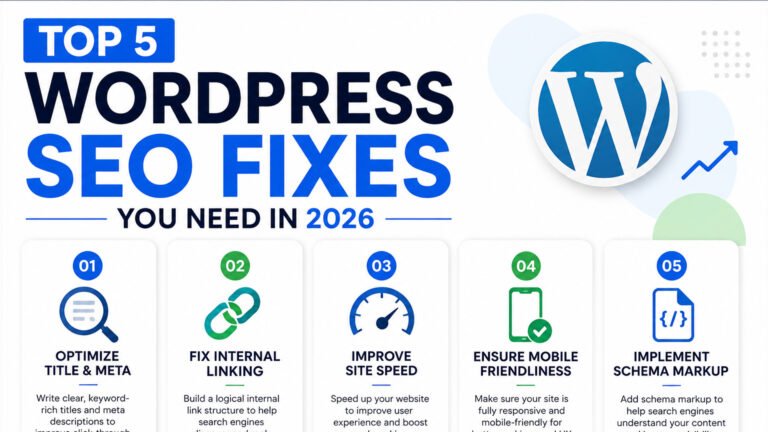
ByEnsuring your WordPress site is optimized for search engines is crucial in 2026. Addressing common WordPress SEO issues can significantly improve your site’s visibility and performance. Let’s explore the top five fixes you should implement.
1. Optimize Site Speed and Core Web Vitals
Site speed directly impacts user experience and search rankings. Google’s Core Web Vitals—Largest Contentful Paint (LCP), Interaction to Next Paint (INP), and Cumulative Layout Shift (CLS)—are key performance metrics.
Steps to Improve Site Speed:
- Choose a Lightweight Theme: Opt for themes like Astra or GeneratePress, known for their speed and efficiency.
- Limit Plugin Usage: Deactivate and delete unnecessary plugins to reduce load times.
- Implement Caching: Use caching plugins such as WP Rocket to store static versions of your pages.
- Optimize Images: Compress images using tools like ShortPixel and serve them in WebP format.
- Utilize a Content Delivery Network (CDN): Services like Cloudflare distribute your content globally, enhancing load times.
Regularly test your site’s performance using tools like Google PageSpeed Insights to monitor improvements.
2. Implement Structured Data with Schema Markup
Structured data helps search engines understand your content, leading to enhanced search result features like rich snippets.
How to Add Schema Markup:
- Use SEO Plugins: Plugins like Rank Math or Yoast SEO facilitate easy addition of schema markup.
- Select Appropriate Schema Types: Depending on your content, implement schemas such as Article, Product, or FAQ.
- Validate Your Markup: Use Google’s Rich Results Test to ensure correct implementation.
Proper schema markup can improve click-through rates by making your listings more informative.
3. Enhance Mobile Usability
With Google’s mobile-first indexing, ensuring your site is mobile-friendly is essential.
Tips for Mobile Optimization:
- Responsive Design: Ensure your theme adjusts seamlessly to various screen sizes.
- Optimize Navigation: Use clear menus and avoid intrusive pop-ups.
- Test Mobile Usability: Utilize Google’s Mobile-Friendly Test to identify and fix issues.
A mobile-optimized site provides a better user experience and supports higher search rankings.
4. Strengthen Internal Linking Structure
Effective internal linking helps distribute page authority and improves crawlability.
Strategies for Internal Linking:
- Create Content Hubs: Develop pillar pages that link to related subtopics.
- Use Descriptive Anchor Text: Clearly indicate the linked content’s subject.
- Regularly Audit Links: Ensure all internal links are functional and relevant.
A well-structured internal linking strategy enhances user navigation and search engine understanding of your site’s hierarchy.
5. Optimize Title Tags and Meta Descriptions
Compelling title tags and meta descriptions can improve click-through rates from search results.
Best Practices:
- Include Primary Keywords: Naturally incorporate relevant keywords.
- Maintain Optimal Length: Keep titles under 60 characters and meta descriptions under 160 characters.
- Write Engaging Copy: Clearly convey the page’s value to encourage clicks.
Regularly review and update these elements to align with current content and search trends.
By addressing these common WordPress SEO issues, you can enhance your site’s performance and visibility in search results. For more practical tutorials, save tutorialsbynitin.com in your bookmarks.
Subscribe for Newsletter

