
 By
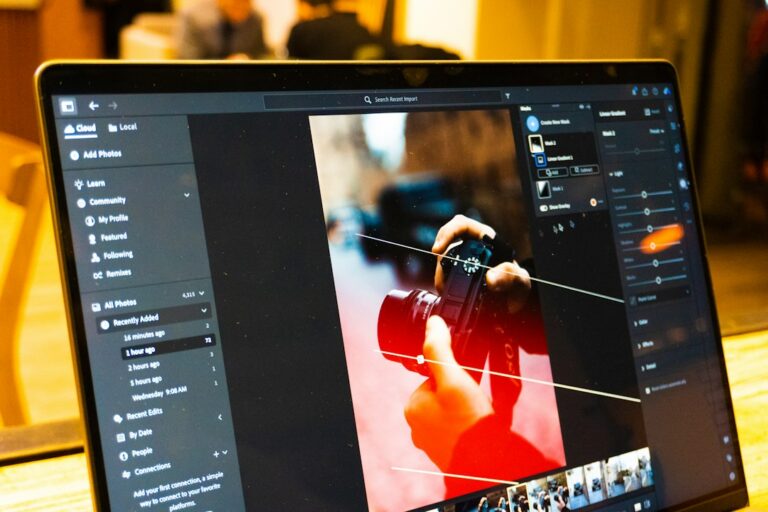
Photoshop in ChatGPT is a free app from Adobe that lets you edit photos directly inside a ChatGPT conversation, without opening Photoshop, Creative Cloud, or a separate browser tab. Adobe launched it alongside Adobe Express and Adobe Acrobat on December 10, 2025, and all three keep running through 2026 as part of OpenAI’s growing app ecosystem. You type the app’s name followed by what you want done, attach a photo, and ChatGPT hands back an edited image in the same chat window.
That single sentence covers the headline, but the details matter if you want to use it for real work rather than a novelty demo. Below is what the app can and cannot do, how it differs from Adobe Express and Acrobat’s own ChatGPT apps, where it is available, whether your edits ever reach your Creative Cloud account, and how it fits into OpenAI’s bigger app platform push.
What Is Photoshop in ChatGPT?
This app is a lightweight, conversational version of Photoshop that runs as an installable app inside ChatGPT rather than as separate software you download. Adobe built it on OpenAI’s Apps SDK, the same framework that lets ChatGPT launch apps like Canva, Spotify, and Figma from inside a chat thread. Instead of tool palettes and layer panels, you describe the edit in plain language and ChatGPT calls Photoshop’s editing engine behind the scenes to apply it.
Adobe positioned the launch as a way to put real editing power in front of ChatGPT’s enormous user base, rather than only the people who already pay for Creative Cloud. According to Adobe’s official announcement, the goal was to make “creativity accessible for everyone” by meeting people where they were already working, rather than asking them to learn a new interface first.
It is worth separating the name from the product here. This is not the full Creative Cloud desktop application squeezed into a chat window. It is a purpose-built, scaled-down editing tool that borrows Photoshop’s name, some of its underlying image-processing technology, and a handful of its most common adjustments.
How Do You Access Photoshop in ChatGPT?
You do not install anything from an app store. Inside any ChatGPT conversation, type “Photoshop” followed by an instruction, such as “Photoshop, brighten this photo and remove the background clutter,” and attach the image you want edited. ChatGPT recognizes the app reference, launches it in the background, and returns the edited file inline within the same thread.
- Works today on ChatGPT’s desktop app, web browser, and iOS app.
- Android support for this particular tool and for Acrobat’s app was still rolling out as of the December 2025 launch; Adobe Express already worked on Android from day one.
- No Creative Cloud subscription, login, or separate Adobe account is required to use it.
- The feature is free, with no usage cap announced at launch.
- You can keep editing the same image across several prompts in one conversation before downloading a final version.
If you have already used Photoshop’s AI-assisted editor inside the full desktop app, this in-chat version will feel familiar in spirit: you describe what you want in natural language instead of hunting through menus and sliders. The difference is that here, the entire interface is the conversation itself.
What Can You Actually Edit With It?
This Photoshop app handles the edits people make most often, not full production work. It adjusts brightness, contrast, and exposure, applies stylistic effects such as Glitch and Glow, and makes selective edits to specific parts of a photo when you describe the area in words, like “make the sky warmer but leave the foreground alone.”
In practice, that covers a lot of everyday fixes: a dim photo from a phone camera, a busy background behind a product shot, a color cast from indoor lighting, or a quick stylized filter for social media. Because the tool understands plain descriptions, you do not need to know the technical name for an adjustment to get it done.
What it does not replace is layer-based compositing, custom brushes, precise manual masking, or plugin-driven workflows. For that level of control, you still need desktop Photoshop or a tool like Adobe’s own Enhance Edge detail feature, which gives far finer control over selections than a chat prompt ever could.
How Does Adobe Express in ChatGPT Differ From Photoshop in ChatGPT?
Adobe Express in ChatGPT is built for design and layout, while Photoshop in ChatGPT is built for photo correction. Express pulls from template-driven design, so it is the better choice when you want a finished graphic, social post, or flyer rather than a cleaned-up photo. It stays focused on the image itself: exposure, color, retouching, and stylistic effects rather than text, layout, or branding.
Acrobat in ChatGPT sits apart from both, since it works on documents rather than images. If you are deciding between all three, ask what the end file actually is. A photo that needs cleaning up points to Photoshop’s app; a social graphic built from a template points to Express; a PDF that needs editing or redacting points to Acrobat.
The table below lines up what each of the three apps is actually for, so you can pick the right one before you type a single prompt.
| Feature | Photoshop in ChatGPT | Adobe Express in ChatGPT | Acrobat in ChatGPT |
|---|---|---|---|
| Primary use | Photo editing and retouching | Graphics, templates, social posts | PDF editing and redaction |
| Best for | Fixing exposure, color, clutter | Finished designs from templates | Cleaning up or securing documents |
| Android support at launch | Coming soon | Available immediately | Coming soon |
| Needs a Creative Cloud login | No | No | No |
| Syncs to Adobe’s desktop apps | No | No | No |
| Cost | Free | Free | Free |
How Does Acrobat in ChatGPT Handle PDFs?
Acrobat in ChatGPT lets you hand over a PDF and ask ChatGPT to act on it directly, including redacting sensitive details before you share a document. You can ask it to black out a name, account number, or address, and it applies the redaction without you opening the Acrobat app or website separately.
This matters most for quick, one-off document cleanup, such as sanitizing a scanned bank statement or lease before emailing it to someone else. For anything involving signatures, form fields, or batch processing across many files at once, the full Acrobat desktop or web app is still the far more capable tool, and it is worth keeping both options in mind rather than forcing every PDF task through a chat window.
Where Is It Available in 2026?
The app is available wherever OpenAI’s Apps SDK is live, which excludes the UK and the EU as of the December 2025 launch. If you are in one of those regions and cannot find the app when you type its name, that platform-level restriction is almost certainly why, not a bug or a mistake on your end.
Outside those regions, the app is global and free on desktop, web, and iOS. Adobe has not announced a firm date for UK or EU availability, so check Adobe’s own announcement page before assuming the rollout has reached your country. Regulatory review in the EU around AI features and data handling is a common reason launches like this lag behind the US rollout.
Does Work in This App Sync to Creative Cloud?
No. Edits you make with this app stay inside that ChatGPT conversation and do not sync to your Creative Cloud account, your Adobe cloud documents, or your Acrobat account. If you need the file in Creative Cloud, you have to download the edited image from the chat yourself and upload it there separately.
That makes it better suited to quick, one-off fixes than to a workflow where a file needs to move between several tools over time. If you are already deep in a Creative Cloud project, editing directly in desktop Photoshop or with Adobe’s RTX-accelerated tools avoids the extra download-and-reupload step entirely, and keeps version history intact.
Is It a Replacement for Desktop Photoshop?
No, and Adobe has not positioned it that way. The app is meant for casual, conversational edits, not professional production work. Desktop Photoshop keeps its layers, masks, custom brushes, plugin ecosystem, and precise manual control, none of which translate cleanly into a short chat prompt.
Think of it as a fast first pass: good for brightening a photo before posting it or removing an obvious distraction from the background, but not a substitute for a full editing session when the stakes are higher, such as client deliverables, print-ready output, or anything that needs to survive close inspection at full resolution.
How Does It Compare to Other AI Photo Tools?
Dedicated AI image tools like Nano Banana Pro, Midjourney, and Canva’s Magic Studio are built to generate or substantially transform images from a text prompt, not just correct an existing photo. They give you more creative range, such as generating a scene from scratch, but they also take more setup: a separate login, a separate tab, and often a learning curve around prompting style.
The app inside ChatGPT trades that range for convenience. It is not trying to generate new scenes or compete with dedicated generators; it is trying to fix a photo you already have, in the same window where you were already chatting. If you need generation rather than correction, a dedicated tool will still get you further.
Google took a similar approach with its own Pics AI tool, bundling simple photo edits into a chat-first product rather than a standalone editor. The pattern across the industry in 2026 is the same: basic edits move into chat interfaces, while advanced generation and compositing stay in dedicated creative apps.
What Are the Privacy Considerations Before You Upload a Photo?
Any photo you send through a chat app leaves your device and gets processed on a server somewhere, and that is true of Photoshop in ChatGPT as much as any other AI editing tool. Avoid uploading images containing sensitive personal documents, ID cards, or anything with private information you would not want logged by a third-party service.
For PDFs specifically, the redaction feature in Acrobat’s app is genuinely useful precisely because it lets you strip sensitive details before the file goes anywhere further, but it is worth double-checking the result rather than assuming an automated redaction caught everything on the first pass.
Why Did Adobe Bring Photoshop Into ChatGPT Instead of Just Its Own Apps?
Adobe followed the users. ChatGPT has roughly 800 million weekly users, far more than open Creative Cloud directly each week, so putting a stripped-down Photoshop where people already are removes the friction of switching apps for a simple fix. It is the same logic behind the design-tool rivalries covered in our Canva Magic Studio guide: meet people inside the tool they already have open, rather than asking them to open a new one.
This also lines up with OpenAI’s broader push to turn ChatGPT into an app platform rather than a single chatbot. According to OpenAI’s own announcement, the Apps SDK launched with partners including Canva, Figma, Spotify, Zillow, and Coursera in October 2025, and Adobe’s trio of apps followed two months later as part of the same ecosystem. More apps have continued to join the directory through 2026.
What’s Next for Adobe’s Apps Inside ChatGPT?
Android support is the most concrete thing to watch. Adobe explicitly called it out as “coming soon” for this tool and for Acrobat’s app at launch, which means a rollout should land at some point in 2026 rather than staying iOS-and-desktop-only indefinitely. Adobe Express already proved the Android version works, so the remaining two apps are mostly a matter of scheduling.
UK and EU availability is less predictable, since it depends on OpenAI’s own regulatory timeline for the Apps SDK rather than anything Adobe controls directly. Large platform rollouts in the EU typically lag the US launch by months while compliance reviews play out, so there is no firm date to point to yet.
More broadly, Adobe joining the ChatGPT app directory is unlikely to be the last major creative-software move into chat interfaces. Canva, Figma, and Spotify were already there before Adobe arrived, and the pattern suggests more creative and productivity tools will keep adding lightweight, chat-native versions of their core features through the rest of 2026.
What Should You Try First?
Start with something low-stakes so you can see how the app interprets instructions before trusting it with anything important. A handful of prompts worth trying on a casual photo:
- “Photoshop, brighten this photo and warm up the colors slightly.”
- “Photoshop, remove the distracting object in the bottom-left corner.”
- “Photoshop, apply a subtle Glow effect without blowing out the highlights.”
- “Photoshop, straighten the horizon and crop it to a square.”
If the first result is close but not quite right, say so in the same conversation rather than starting over. Because the whole interaction is conversational, refining an edit is usually just a matter of describing what still looks wrong.
Who Should Actually Use This App?
Casual users get the most value here: someone posting a few photos a week who wants a quick brightness fix or a cleaner background without learning an editor. If that describes you, this is a genuinely useful shortcut, and it costs nothing to try on a photo you do not mind experimenting with.
Small business owners and freelancers sit in the middle. It is fine for a quick product photo touch-up before posting to social media, but anything going to a client, a print run, or a storefront listing deserves a pass through a proper editor afterward, since chat-based edits do not preserve the kind of fine control those situations usually need.
Professional photographers and designers will likely treat it as a curiosity rather than a workflow tool. Desktop software still wins on control, repeatability, and the ability to batch-process dozens of images the same way, none of which a one-off chat prompt is built to do.
FAQ: Photoshop in ChatGPT
Is Photoshop in ChatGPT free?
Yes. Adobe launched it as a free app, with no Creative Cloud subscription or Adobe account required to use it inside ChatGPT.
Do I need a ChatGPT Plus subscription to use it?
Adobe’s launch announcement did not require a paid ChatGPT tier, but app availability inside ChatGPT can vary by account type and region, so check inside your own app if you do not see it listed.
Can I undo an edit made with Photoshop in ChatGPT?
You can ask ChatGPT to revert to the previous version within the same conversation, but there is no layered undo history like desktop Photoshop. Keep your original file if the edit matters.
Does it work on Android?
Not at launch. Adobe said Android support for this app and for Acrobat’s was coming soon, while Adobe Express already worked on Android from day one.
Why can’t I find Photoshop in ChatGPT in the UK or EU?
The app runs on OpenAI’s Apps SDK, which was not available in the UK or EU at launch. That is a platform-level restriction, not something specific to Adobe’s apps.
Will my edits appear in my Creative Cloud library?
No. Work created inside ChatGPT stays there unless you manually download the result and upload it to Creative Cloud yourself.
Subscribe for Newsletter

