
 By
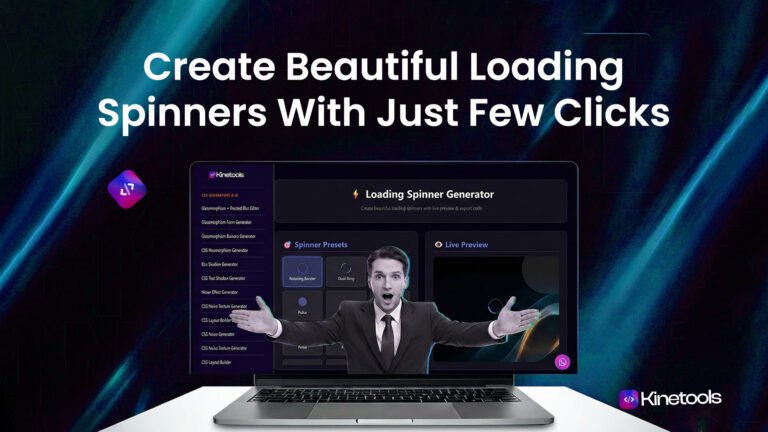
ByHave you ever clicked on a website and waited… and waited… with no idea if anything is actually happening? That awkward silence between clicking and loading can drive users away faster than you can say “bounce rate.” That’s where a loading spinner generator becomes your website’s secret weapon.
Here’s the exciting part: creating professional, eye-catching loading spinners doesn’t require you to be a coding wizard or spend hours wrestling with CSS animations. With the right loading spinner generator, you can design and implement gorgeous loading animations with just a few clicks of your mouse. No complicated tutorials, no coding bootcamps—just point, click, and you’re done!
In this ultimate guide, we’re going to explore everything about loading spinner generators, why they’re absolutley essential for any modern website, and how you can create stunning spinners faster than ordering pizza online. Whether you’re running a startup, managing an e-commerce platform, or building your personal portfolio, this guide has got you covered.
What is a Loading Spinner Generator and Why Should You Care?
A loading spinner generator is an incredibly handy online tool that creates customizable CSS loading animations without you having to write complex code. Imagine having a magic wand that turns your ideas into beautiful, functional loading animations—that’s basically what these generators do.
The concept is beautifully simple: you use your cursor to select options, adjust sliders, pick colors, and watch your spinner come alive in real-time. Once you’re satisfied with what you see, the loading spinner generator automatically creates clean, optimized CSS code that you can copy with a single click and paste directly into your website. The entire process takes minutes, not hours.
Tools like the one available at kinetools.com have revolutionized how designers and developers approach loading animations. Instead of spending valuable time coding from scratch or searching through endless Stack Overflow threads, you can create professional-quality spinners with just your cursor and a few clicks.
Why Every Website Desperately Needs Loading Spinners
Loading spinners aren’t just pretty decorations—they’re psychological tools that significantly impact user behavior and satisfaction:
The Psychology Behind Loading Animations
When users interact with your website, their brain craves immediate feedback. Click a button and see nothing? Their confidence drops. Their cursor hovers over the back button. But show them a spinning animation, and suddenly they know the system is working. It’s
acknowledgement, reassurance, and entertainment all rolled into one simple visual element.
Research shows that users percieve loading times as shorter when there’s a loading spinner present, even if the actual loading time remains unchanged. This psychological effect alone makes implementing a loading spinner generator worth every second of your time.
Professional Appearance in Seconds
Nothing screams “amateur website” louder than awkward loading delays with no visual feedback. Professional websites use loading spinners to maintain polish and credibility. With a loading spinner generator, you can achieve that professional look without hiring a designer or learning advanced CSS animations.
How to Use a Loading Spinner Generator – Step by Step Guide
Creating loading spinners with a generator is remarkably straightforward. Let me walk you through the process using a practical example:
Step 1: Choose Your Loading Spinner Generator
First things first—you need a reliable tool. The loading spinner generator at kinetools.com is an excellent choice because it offers:
- Dozens of pre-built spinner templates
- Real-time preview as you customize
- Clean, optimized CSS code output
- Completely free to use with no hidden fees
- No registration or sign-up required
Step 2: Browse Available Spinner Styles
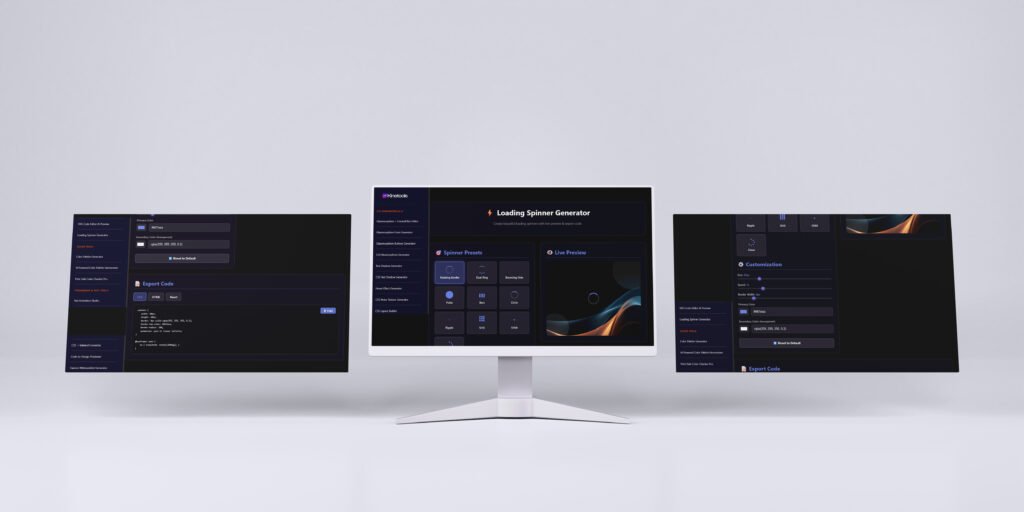
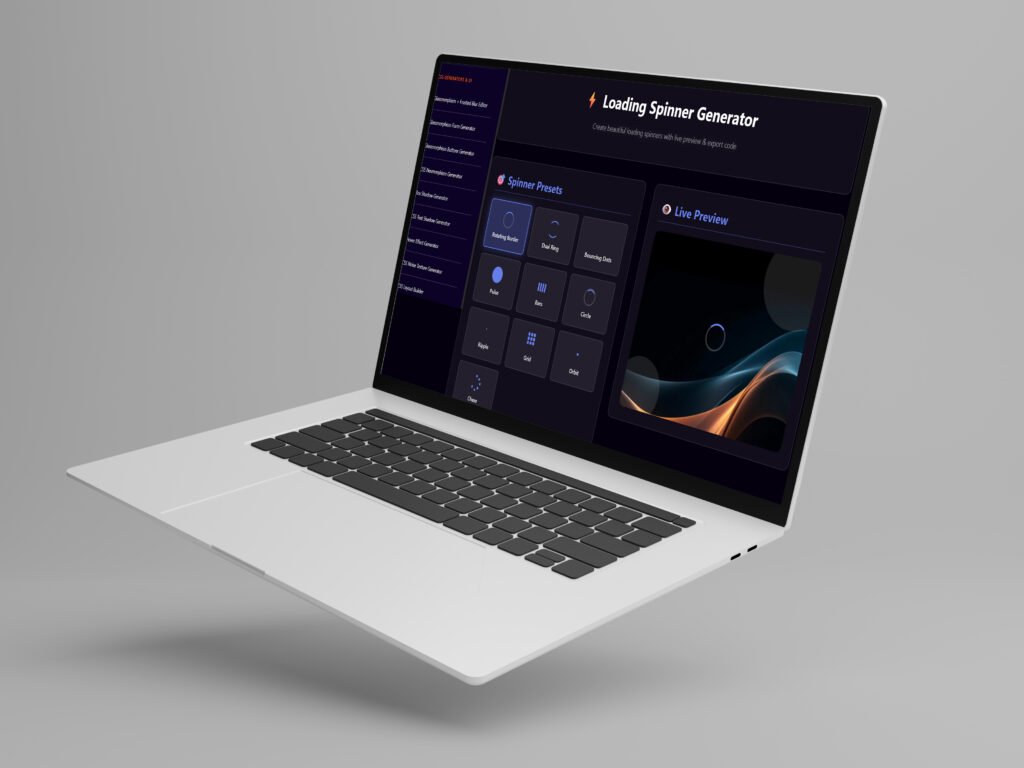
Once you’re on the loading spinner generator, you’ll see various spinner styles. These typically include:
- Classic circular spinners
- Bouncing dots animations
- Pulsing circles
- Rotating squares
- Wave patterns
- And many more creative options
Use your cursor to hover over different styles and click on the one that catches your eye. Don’t worry about commiting right away—you can always switch styles later!
Step 3: Customize Your Spinner (This is Where the Magic Happens!)
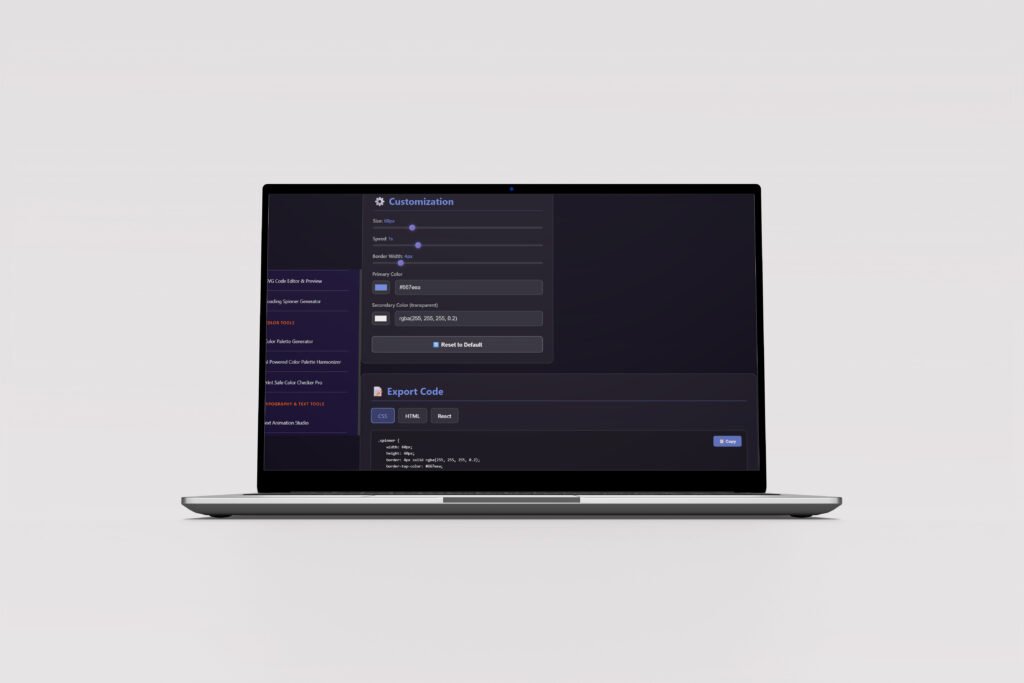
This is where your loading spinner generator really shines. With just your cursor and a few clicks, you can customize:
Color Selection: Click on the color picker and choose colors that match your brand. Most generators let you set primary, secondary, and even accent colors for more complex animations.
Size Adjustment: Use sliders to make your spinner larger or smaller. Consider where it will appear on your page—a full-page loader needs to be bigger than a button loader.
Animation Speed: Control how fast your spinner rotates or animates. Faster isn’t always better—sometimes a slower, smoother animation feels more premium.
Border Thickness: For circular spinners, adjust how thick or thin the spinning ring appears.
The beauty of a good loading spinner generator is that you see every change instantly in the preview panel. No need to save, compile, or refresh—just move your cursor, click, and watch the magic happen in real-time.
Step 4: Generate and Copy Your CSS Code
Once you’re happy with your custom spinner, simply click the “Generate Code” or “Copy CSS” button. The loading spinner generator will provide you with:
- Complete CSS code for your animation
- HTML markup (if needed)
- Sometimes even JavaScript snippets for advanced functionality
Most modern generators format the code beautifuly, making it easy to read and integrate into your project.
Step 5: Implement on Your Website
Now comes the easiest part—actually using your new loading spinner. Here’s how:
- Copy the CSS code from the loading spinner generator
- Paste it into your stylesheet or within
<style>tags - Copy the HTML markup
- Place it where you want the spinner to appear
- Add JavaScript to show/hide the spinner based on loading states
And just like that, you’ve gone from zero to hero with a professional loading animation—all done with just a few clicks!
Types of Loading Spinners You Can Create
A versatile loading spinner generator offers various animation styles to match different design aesthetics and use cases:
Circular Spinners
These are the most popular type of loading animation. They typically feature a circle with a gap that rotates continuously. Circular spinners work great for general-purpose loading indicators and are recognized universaly by users.
Bouncing Dots
Perfect for playful, friendly interfaces, bouncing dot animations create a sense of rythm and movement. They’re particularly popular in mobile applications and social media platforms.
Pulsing Animations
Pulsing spinners expand and contract, creating a breathing effect. These work exceptionally well for meditation apps, healthcare websites, or any interface where you want to convey calmness.
Grid and Square Patterns
For more modern, geometric designs, grid-based spinners rotate squares or rectangles in interesting patterns. These look particularly sleek on tech and startup websites.
Wave Patterns
Wave loading animations create a flowing, liquid motion that’s both mesmerizing and elegant. They’re ideal for creative portfolios and artistic websites.
A quality loading spinner generator like the one at kinetools.com gives you access to all these styles and more, ensuring you’ll find the perfect match for your project.
Best Practices for Using Loading Spinners
Creating a spinner with a loading spinner generator is easy, but using it effectively requires some strategy:
Match Your Brand Identity
Your loading spinner should feel like a natural extension of your brand. Use your brand colors, match the animation style to your overall design aesthetic, and ensure consistency across all loading states.
Also Read: 20 Must-Have Browser Tools for Web Developers
Consider Context and Placement
A full-screen loading spinner makes sense when loading an entire page, but it’s overkill for a simple form submission. Use smaller, inline spinners for buttons and form fields, and reserve larger animations for major loading events.
Optimize Animation Performance
Even though your loading spinner generator creates optimized code, be mindful of performance. CSS animations are generally lightweight, but adding dozens of concurrent spinners can impact performance on lower-end devices.
Provide Additional Context When Possible
Sometimes a spinner alone isn’t enough. For longer loading processes, consider adding text like “Loading your data…” or “Please wait while we process your request.” This gives users more information and manages expectations better.
Test on Multiple Devices
What looks perfect on your desktop might appear too small or too large on mobile devices. Always test your spinners across different screen sizes and devices to ensure they remain visible and proportional.
Common Mistakes to Avoid
Even with a user-friendly loading spinner generator, people sometimes make these mistakes:
Using Too Many Spinners
Don’t go overboard! Having multiple spinners on one page can create visual chaos and actually confuse users rather than help them. Use spinners strategically and sparingly.
Choosing Distracting Colors
Bright, neon colors might seem fun, but they can be jarring and distracting. Your spinner should provide feedback without stealing focus from the content users are waiting to see.
Making Spinners Too Small
If users can’t see your loading indicator, it defeats the entire purpose. Ensure your spinners are large enough to be immediately noticeable, especially on mobile devices where screen real estate is limited.
Forgetting to Hide Spinners
Always ensure your spinners disappear once loading is complete. Nothing looks more broken than a spinner that keeps spinning even after content has loaded!
Why KineTools Loading Spinner Generator Stands Out
While there are several loading spinner generators available online, the tool at kinetools.com offers distinct advantages:
Extensive Template Library
The KineTools loading spinner generator provides dozens of professionally designed templates, giving you plenty of options to choose from without starting from scratch.
Intuitive Interface
The interface is designed with simplicity in mind. Everything you need is accessible with just a few clicks, and the real-time preview ensures you always know exactly what you’re getting.
Clean Code Output
The CSS code generated is clean, well-commented, and optimized for performance. You won’t need to spend time debugging or refactoring the code—it’s production-ready from the moment you copy it.
Completely Free
Unlike some tools that require subscriptions or limit features behind paywalls, the KineTools loading spinner generator is completely free to use with no restrictions.
No Registration Required
You can start creating spinners immediately without creating an account, providing email addresses, or dealing with any registration hassle.
Mobile-Friendly
The generator itself works perfectly on mobile devices, so you can create and customize spinners even when you’re away from your desktop.
Advanced Tips for Power Users
Once you’ve mastered the basics of using a loading spinner generator, try these advanced techniques:
Combine Multiple Spinners
For complex applications, you might want different spinners for different loading states. Use your loading spinner generator to create multiple variations and apply them contextually based on what’s loading.
Customize Beyond the Generator
The code from your loading spinner generator is a starting point. Feel free to further customize it by adjusting animation timing functions, adding transform effects, or combining multiple animations.
Create Loading Sequences
Instead of showing a single spinner, create a sequence of loading states that progress as your content loads. This gives users a better sense of progress and can make longer loading times feel shorter.
Add Sound Effects
For certain applications (especially games or interactive experiences), consider adding subtle sound effects that play alongside your spinner animation. Just make sure users can mute them!
Real-World Use Cases
Let’s explore how different types of websites and applications can benefit from a loading spinner generator:
E-commerce Websites
Online stores need spinners when users add items to cart, proceed to checkout, or process payments. A trustworthy, professional spinner reassures customers that their transaction is being processed securely.
Social Media Platforms
When users scroll through feeds, post updates, or load media, spinners provide essential feedback. Social platforms often use custom-branded spinners that reinforce brand identity.
Web Applications
SaaS products and web apps frequently load data, process calculations, or sync information. Clear loading indicators help users understand that the application is working, even during complex operations.
Portfolio Websites
Creative professionals can use unique, eye-catching spinners that showcase their design skills while serving a functional purpose. Your spinner can actually become a memorable part of your brand.
Educational Platforms
Online learning platforms load course materials, videos, and interactive content. Well-designed spinners keep students engaged during these transitions.
The Technical Benefits of CSS Spinners
Using a loading spinner generator to create CSS-based animations offers several technical advantages over other approaches:
Lightweight and Fast
CSS animations are incredibly lightweight compared to image-based or JavaScript-heavy alternatives. They load quickly and don’t require additional HTTP requests.
Scalable Without Quality Loss
Since CSS spinners are code-based rather than image-based, they scale perfectly to any size without pixelation or quality degradation. They look crisp on retina displays and large monitors alike.
Easy to Maintain
When you need to update colors or sizes to match a rebranding effort, simply adjust a few CSS properties rather than creating new image files.
Excellent Browser Support
Modern CSS animations work across all contemporary browsers, ensuring your spinners look great for virtually all users.
Accessibility Friendly
CSS spinners can be easily enhanced with ARIA labels and other accessibility features to ensure screen readers can communicate loading states to users who rely on assistive technologies.
Future Trends in Loading Animations
The world of loading animations continues to evolve. Here’s what we’re seeing emerge:
Skeleton Screens
Rather than showing a traditional spinner, some applications now display “skeleton” versions of the content that’s loading—gray placeholder boxes that mimic the layout of the actual content.
Progress Indicators
Instead of indefinite spinners, more applications are showing determinate progress bars that give users a sense of how much time remains.
Micro-Interactions
Subtle, delightful animations that respond to user actions are becoming more popular, with loading states integrated seamlessly into interactive elements.
Branded Animations
Companies are creating custom loading animations that tell stories or showcase brand personality, going beyond simple geometric shapes.
Troubleshooting Common Issues
Even when using a reliable loading spinner generator, you might encounter some challenges:
Spinner Not Appearing
Check that you’ve included both the CSS and HTML code, and verify that the element containing your spinner is visible and not hidden by other CSS rules.
Animation Not Smooth
If your spinner animation looks choppy, check if there are performance issues on the page. Too many concurrent animations or heavy JavaScript processes can impact animation smoothness.
Wrong Size on Mobile
Use relative units like em or % instead of fixed pixel values to ensure your spinner scales appropriately across different devices.
Conflicts With Existing Styles
If your spinner looks different than expected, check for CSS conflicts. Your existing stylesheets might be overriding the spinner styles. Use more specific selectors if needed.
Conclusion: Transform Your Website With Perfect Loading Spinners
Creating beautiful, functional loading spinners doesn’t have to be complicated or time-consuming. With a powerful loading spinner generator like the one at kinetools.com, you can design and implement professional-quality loading animations in just a few clicks—literally!
We’ve covered everything from the basics of what a loading spinner generator is, to advanced implementation techniques and best practices. The key takeaway is simple: loading spinners are essential for modern websites, and creating them has never been easier.
Don’t let your users sit in frustration wondering if your website is working. Give them the visual feedback they need with custom loading spinners that match your brand and enhance the user experience. Visit Loading Spinner Generator today and start creating stunning loading animations with just a few clicks!
Remember, in today’s competitive digital landscape, every detail matters. Something as simple as a well-designed loading spinner can mean the difference between a user who stays engaged and one who bounces away. Your website deserves better than awkward loading delays—give it the polish and professionalism it needs with the perfect loading spinner.
Ready to elevate your website’s user experience? Grab your cursor, head over to kinetools, and start creating amazing loading spinners right now. Your users will thank you, and you’ll wonder why you waited so long to implement such an impactful improvement!

Subscribe for Newsletter

