

 By
ByIntroduction: Why Kinetools is a Game-Changer for Designers and Developers
In today’s fast-paced digital world, designers and developers need efficient, reliable tools that can help them create stunning visual elements without breaking the bank. That’s where Kinetools comes into play. This free online platform offers over 20 powerful utilities that streamline your creative workflow, eliminate the need for expensive software, and help you build beautiful web experiences right in your browser.
Whether you’re a seasoned professional or just starting your journey in web design, Kinetools provides instant access to AI-powered tools that generate colors, gradients, shadows, patterns, and much more. The best part? Everything works directly in your browser with no downloads, no installations, and absolutely no sign-up required.
What Makes Kinetools Stand Out?
Kinetools isn’t just another collection of random online tools. It’s a carefully curated platform designed specifically for modern creative workflows. Here’s what sets it apart from other design tool websites:
1. Completely Free Forever
Unlike many design tools that hide their best features behind paywalls, Kinetools gives you full access to every single tool without asking for a credit card or subscription. You can use every feature, export unlimited code, and download as many assets as you need – all for free.
2. Browser-Based Performance
All Kinetools utilities run locally in your browser, ensuring lightning-fast performance without server delays. This means your designs render instantly, and you get smooth 60fps animations even when working with complex visual effects.
3. No Learning Curve
Each tool on Kinetools is designed with simplicity in mind. You don’t need to read lengthy documentation or watch tutorial videos. The intuitive interfaces let you jump straight into creating, with live previews that update in real-time as you adjust settings.
GET IN TOUCH
Join Kinetools on WhatsApp
4. Export-Ready Code
One of the biggest advantages of Kinetools is that everything you create can be exported as production-ready code. Whether you need CSS, SCSS, SVG, HTML, or even Tailwind-formatted code, you can copy it to your clipboard with a single click and paste it directly into your project.
5. Fully Responsive Design
Every tool on the Kinetools platform adapts beautifully to any screen size. Whether you’re working on a desktop computer, tablet, or even your smartphone, you’ll have the same powerful functionality at your fingertips.
Exploring the Kinetools Toolkit: Comprehensive Tool Overview
Let’s dive deep into the amazing collection of tools available on Kinetools and discover how each one can transform your design and development workflow.
CSS Background Pattern Generator
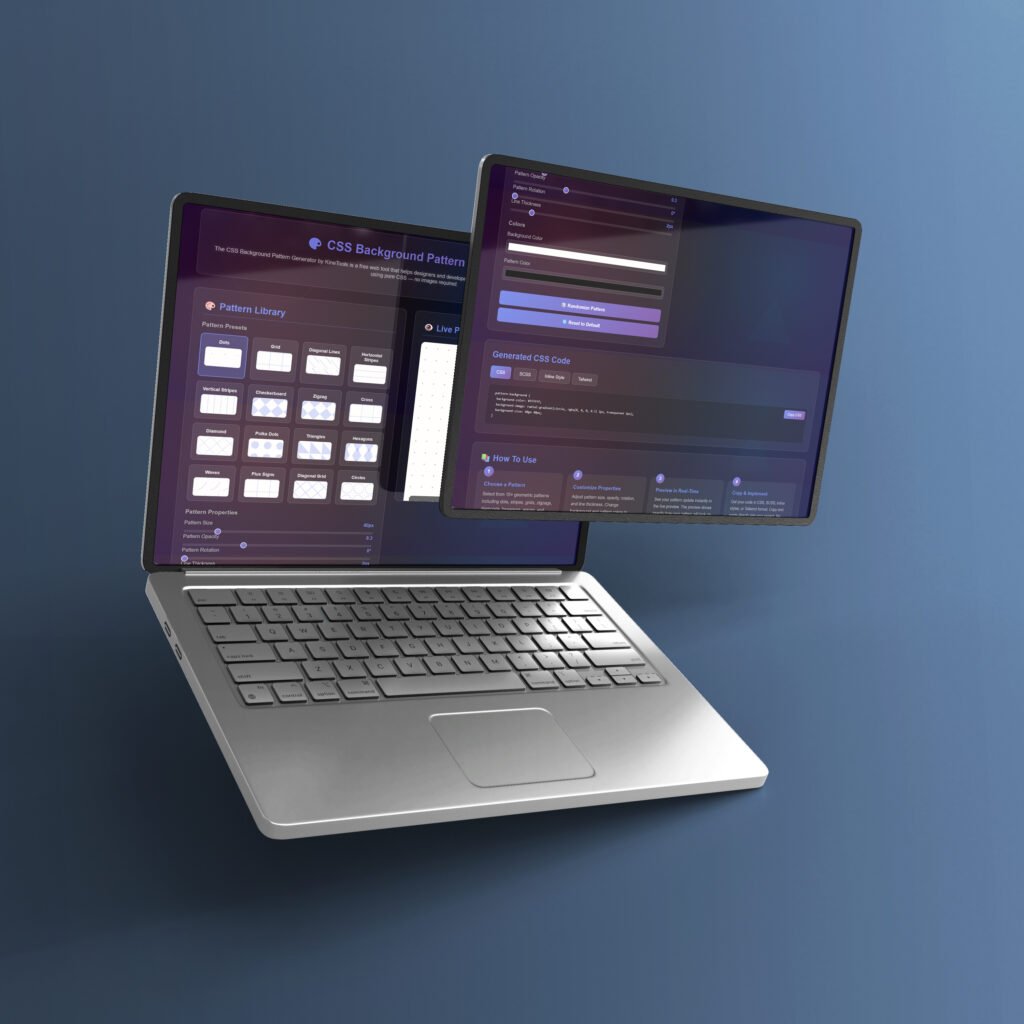
The CSS Background Pattern Generator is one of the most popular tools on Kinetools. This powerful utility helps you create stunning geometric background patterns using pure CSS – no images required. With over 15 different pattern styles to choose from, including dots, stripes, grids, zigzags, diamonds, hexagons, and waves, you can create unique backgrounds that make your website stand out.
Key Features:
- 15+ pre-designed geometric patterns
- Customizable size, opacity, rotation, and line thickness
- Dual color controls for background and pattern colors
- Live preview with instant updates
- Export options: CSS, SCSS, inline styles, and Tailwind format
The pattern generator on Kinetools is perfect for creating modern, eye-catching hero sections, card backgrounds, or full-page designs without loading heavy image files that slow down your website.
Custom Cursor Generator
Want to add a unique touch to your website? The Custom Cursor Generator on Kinetools lets you design animated and static custom cursors that reflect your brand personality. With 48 pre-made cursor designs, you can customize every aspect including size, color, stroke width, and even animation effects.
What You Can Do:
- Choose from 48 professional cursor presets
- Adjust cursor size from subtle to bold
- Customize colors to match your brand
- Add animations for interactive feedback
- Export as CSS or SVG code instantly
This tool is incredible for creating immersive user experiances that go beyond the standard arrow pointer. Your visitors will remember the unique cursor interactions on your site.

CSS Noise Texture Generator
Noise textures add depth and realism to digital designs, and the Kinetools Noise Texture Generator makes it incredibly easy to create them. Using SVG filters and pure CSS, this tool generates realistic noise effects that you can layer over backgrounds, images, or UI elements.
Customization Options:
- Adjustable base frequency for fine or coarse noise
- Octave controls for texture complexity
- Multiple blend modes (multiply, screen, overlay, etc.)
- Opacity slider for subtle or dramatic effects
- Export as pure CSS, HTML, or inline SVG
Whether you’re designing a modern glassmorphism interface or adding a film grain effect to your photography portfolio, the noise texture generator on Kinetools delivers professional results in seconds.

SVG Code Editor Online
The SVG Code Editor is an essential tool for anyone working with vector graphics. This free online editor from Kinetools lets you paste SVG code and immediately see a live preview while you make adjustments to colors, dimensions, and other attributes.
Editor Capabilities:
- Real-time preview of SVG changes
- Quick color modifications with visual color picker
- Adjust width, height, and stroke properties
- Syntax highlighting for easier editing
- One-click copy to clipboard
- Download edited SVGs instantly
This Kinetools editor is perfect for quick SVG optimizations and modifications without needing to open heavy desktop applications like Adobe Illustrator.

CSS Gradient Generator
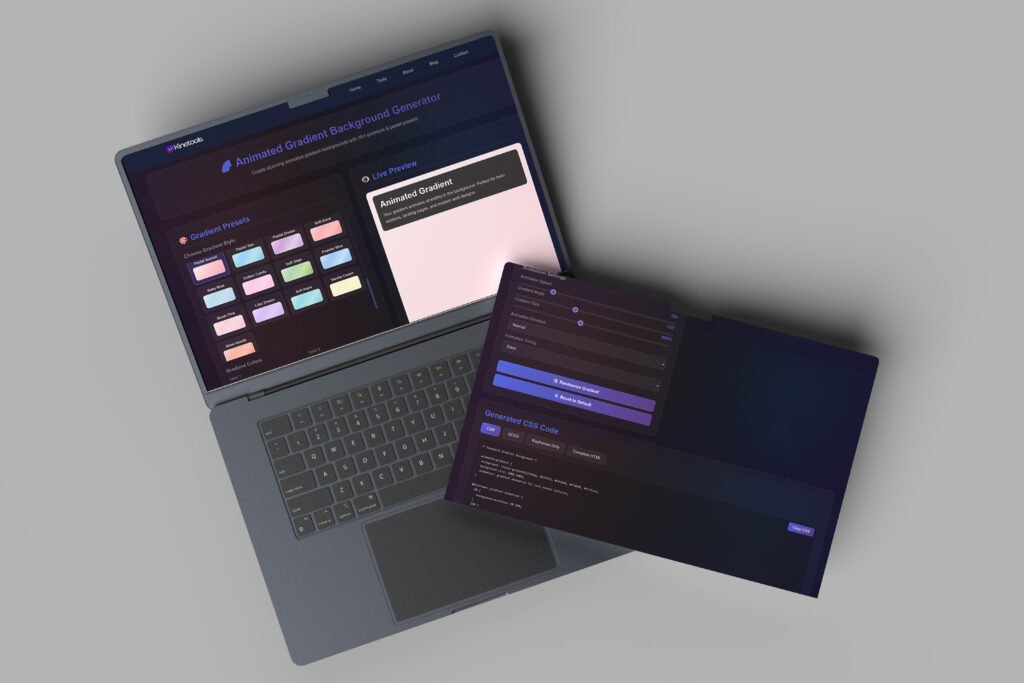
Creating beautiful gradients has never been easier than with the Kinetools CSS Gradient Generator. This powerful tool supports linear, radial, and conic gradients with unlimited color stops, giving you complete creative freedom.
Gradient Features:
- Support for linear, radial, and conic gradients
- Add unlimited color stops with precise positioning
- Adjust gradient angles and directions
- Visual color picker for each stop
- Real-time preview with smooth transitions
- Export as CSS, SCSS, or Tailwind utilities
Whether you’re designing modern UI cards, hero sections, or button hover effects, the gradient generator on Kinetools delivers production-ready code that works flawlessly across all browsers.
Glassmorphism Form Generator
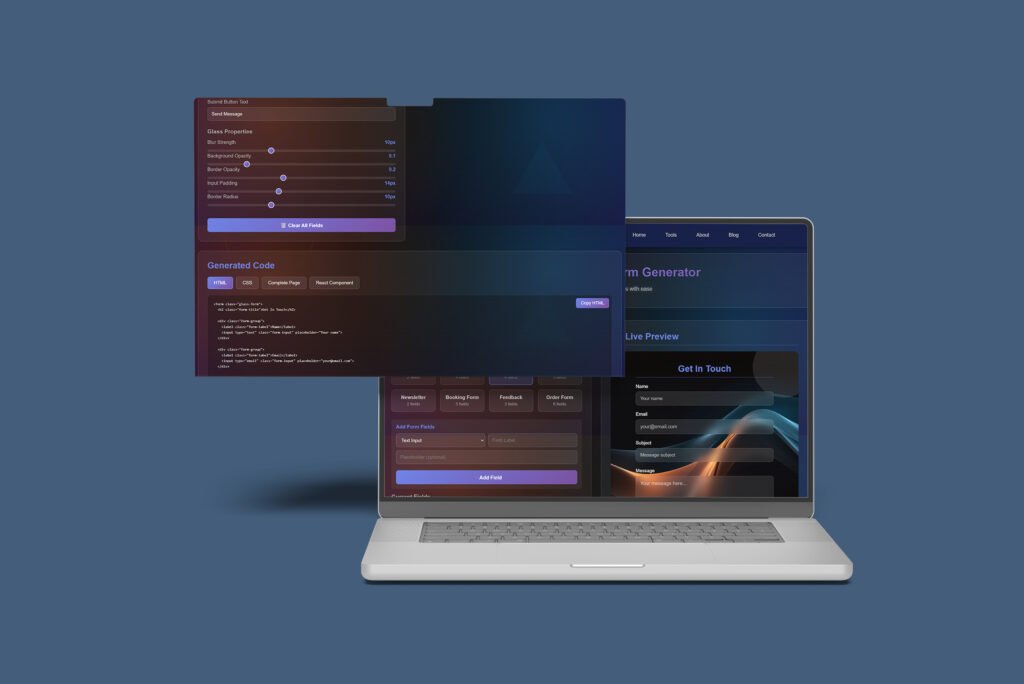
One of the most popular design trends in modern web development is glassmorphism, and Kinetools makes it incredibly easy to create stunning glassmorphic forms. The Glassmorphism Form Generator helps you design beautiful, frosted-glass effect forms with backdrop blur, transparency, and elegant borders.
Glassmorphism Features:
- Customizable backdrop blur intensity
- Adjustable transparency levels
- Border styling and glow effects
- Background color with opacity control
- Real-time preview of glass effect
- Multiple form field styles
- Export complete HTML and CSS code
- Responsive design built-in
This Kinetools generator is perfect for creating modern login forms, contact forms, or newsletter signup sections that capture attention with their sophisticated glass-like appearance. The generated code is production-ready and works seamlessly across all modern browsers.
CSS Minifier & Beautifier Pro
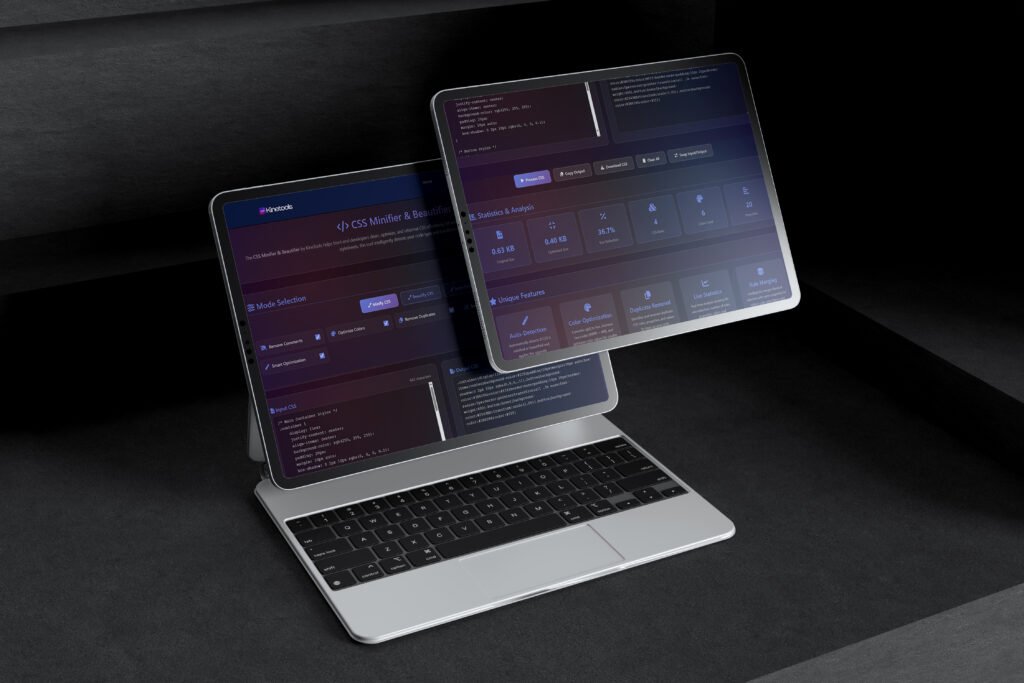
Code optimization is crucial for website performance, and the CSS Minifier & Beautifier Pro tool on Kinetools helps you manage your CSS code efficiently. This powerful dual-purpose tool both compresses CSS for production and formats it beautifully for development.
Minifier Features:
- Compress CSS to reduce file size
- Remove unnecessary whitespace and comments
- Optimize code for faster loading times
- Beautify CSS with proper indentation
- Format code for better readability
- Syntax highlighting for easier editing
- One-click copy minified or beautified code
- Process large CSS files instantly
Whether you need to minimize your CSS for deployment or beautify minified code for editing, this Kinetools utility handles both tasks flawlessly. It’s an essential tool for maintaining clean, efficient stylesheets.
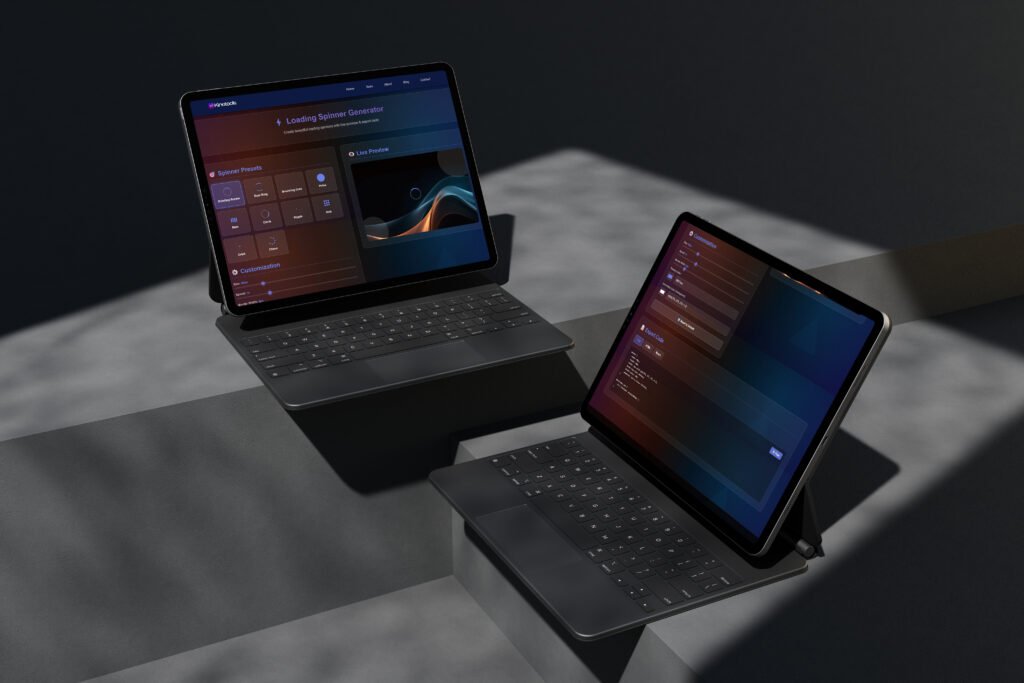
Loading Spinner Generator
User experience depends heavily on how you handle loading states, and the Loading Spinner Generator on Kinetools provides dozens of beautiful, animated loading spinners that you can customize and implement instantly.
Spinner Options:
- 30+ pre-designed spinner animations
- Customizable colors and sizes
- Speed and timing adjustments
- Pure CSS animations (no images)
- Multiple spinner styles (circular, dots, bars, etc.)
- Real-time animation preview
- Export CSS and HTML code
- Lightweight code for fast performance
From simple circular spinners to complex multi-element animations, the Kinetools Loading Spinner Generator ensures your users have engaging visual feedback during load times. All spinners are created with pure CSS, making them lightweight and scalable without quality loss.
How Kinetools Improves Your Workflow
Using Kinetools in your daily design and development work brings numerous practical benefits that save time and improve output quality:
Time Efficiency
Instead of spending hours tweaking values in code editors or expensive design software, Kinetools lets you visualize changes instantly. What might take 30 minutes of trial and error becomes a 2-minute task with live previews and intuitive controls.
Consistency Across Projects
By using Kinetools for generating design elements, you maintain consistent quality and methodology across all your projects. The exported code follows best practices and works reliably across different browsers and devices.
Learning Resource
For beginners, Kinetools serves as an excellent learning platform. You can see exactly how different CSS properties affect visual output, making it easier to understand the relationship between code and design. It’s like having a visual CSS tutorial for every property.
Rapid Prototyping
When you need to create quick mockups or test design ideas, Kinetools accelerates the prototyping phase dramatically. Generate multiple variations of gradients, shadows, or patterns in minutes and compare them side-by-side.
Code Quality
All code generated by Kinetools follows modern web standards and best practices. You don’t have to worry about vendor prefixes, browser compatibility, or syntax errors – the exported code just works.
The Technology Behind Kinetools
What makes Kinetools so fast and reliable? The platform leverages modern web technologies to deliver exceptional performance:
Progressive Web App Architecture
Kinetools is built as a progressive web app (PWA), meaning it works offline after your first visit and loads almost instantaneously. All processing happens locally in your browser, ensuring your data remains private and secure.
Optimized Performance
Every tool on Kinetools is optimized for smooth 60fps performance. Even when you’re working with complex animations or real-time previews, the interface remains responsive and snappy thanks to efficient rendering techniques.
Modern UI Framework
The Kinetools interface uses glassmorphism design principles with backdrop blur effects, translucent elements, and sophisticated depth layering. These modern design trends create a visually appealing experiance while maintaining excellent usability.
Security First Approach
Kinetools is built with security best practices in mind. Since everything runs locally in your browser, your designs and code never leave your device unless you explicitly choose to share them. No data is collected, stored, or transmitted to external servers.
Kinetools for Different User Types
The beauty of Kinetools lies in its versatility. Different types of users can benefit from the platform in unique ways:
Also Read: 30 Hidden Gemini 3.0 Pro Features Google Doesn’t Tell You About
For Web Designers
Professional web designers use Kinetools to quickly generate CSS effects that would be tedious to code manually. The visual interface speeds up the design process while maintaining precise control over every parameter. Designers appreciate the ability to export code in multiple formats that integrate seamlessly with their existing workflows.
For Frontend Developers
Developers love Kinetools because it eliminates the guesswork from visual styling. Instead of writing CSS blindly and refreshing the browser repeatedly, they can dial in the exact values they need and copy production-ready code. This is especially valuable when implementing designs that require complex gradients, shadows, or animations.

For Content Creators
Bloggers, social media managers, and content creators use Kinetools to generate eye-catching backgrounds, color palettes, and visual elements for their posts. The no-code approach means anyone can create professional-looking graphics without technical expertise.

For Students and Learners
Web development students find Kinetools invaluable as a learning resource. By adjusting sliders and seeing immediate visual feedback, they develop an intuitive understanding of how CSS properties work together. It’s hands-on learning without the frustration of syntax errors.

For Freelancers and Agencies
Freelance designers and agencies use Kinetools to accelerate client work and reduce project timelines. When you can generate custom design elements in minutes rather than hours, you increase profitability while delivering faster turnaround times.
Real-World Use Cases for Kinetools
Let’s explore some practical scenarios where Kinetools becomes indispensible:
Creating Modern Landing Pages
When building a landing page, you need eye-catching hero sections, gradient backgrounds, subtle shadows on cards, and smooth animations. Kinetools provides every tool needed to create these elements quickly. Generate a stunning gradient background, add CSS noise texture for depth, create shadows for your call-to-action buttons, and animate elements as they scroll into view – all without leaving the platform.

Designing UI Components
Building a component library? Use Kinetools to create consistent styles across all components. Generate button styles, input field shadows, card elevations, and hover effects with precise control. Export the code and maintain consistency across your entire design system.

Email Template Development
Email templates require inline CSS, which can be tedious to write. Kinetools generates CSS that can easily be converted to inline styles, and the visual editors help you create email-safe gradients, backgrounds, and button designs that render correctly across different email clients.
Social Media Graphics
Need quick backgrounds for social media posts? The pattern generator and gradient creator on Kinetools can produce thousands of unique background combinations. Export high-resolution versions or use the code to create dynamic, animated backgrounds for video content.

Portfolio Projects
When showcasing your work, presentation matters. Use Kinetools to add polish to your portfolio with custom cursors, smooth animations, beautiful gradients, and unique background patterns that make your projects memorable.
Comparing Kinetools with Other Design Tool Platforms
While there are other online design tool collections available, Kinetools offers distinct advantages:
Versus Paid Design Software
Unlike Adobe Creative Cloud or Sketch, Kinetools requires no subscription fees, downloads, or installations. While those professional tools offer broader functionality, Kinetools excels at its specific niche of generating CSS-based design elements quickly and efficiently.
Versus Individual Tool Websites
Many designers bookmark dozens of individual tool websites, but Kinetools consolidates 20+ utilities in one place. This centralization saves time and reduces the cognitive load of remembering multiple URLs and interfaces.
Versus Code Generators with Ads
Some free online tools are cluttered with advertisements that disrupt workflow. Kinetools maintains a clean, ad-free interface that respects your focus and productivity.
Tips for Getting the Most Out of Kinetools
Maximize your Kinetools experience with these practical tips:
1. Bookmark Your Favorites
While Kinetools centralizes many tools, you might use certain generators more frequently. Bookmark specific tool pages for even faster access to your most-used utilities.
2. Experiment Freely
Since Kinetools is completely free, don’t hesitate to experiment with extreme values and unusual combinations. Sometimes the most creative designs come from unexpected parameter combinations.
3. Build a Personal Library
Keep a document or code snippet library of your favorite Kinetools exports. Building a personal collection of gradients, shadows, and patterns accelerates future projects when you need similar styles.
4. Combine Multiple Tools
The real power of Kinetools emerges when you combine outputs from multiple tools. Layer a CSS noise texture over a gradient background, add a pattern, apply custom shadows – create complex, multi-layered designs by stacking different generated elements.
5. Use as a Learning Resource
Even if you’re an experienced developer, revisit Kinetools periodically to discover CSS properties or techniques you might have overlooked. The platform showcases what’s possible with modern CSS.
The Future of Kinetools
The Kinetools platform continues to evolve with new tools and features being added regularly. The development team listens to user feedback and prioritizes utilities that solve real workflow challenges for designers and developers.
As web standards advance and new CSS properties gain browser support, Kinetools updates its generators to incorporate the latest capabilities. This commitment to staying current ensures that users always have access to cutting-edge techniques and best practices.
GET IN TOUCH
Join Kinetools on WhatsApp
Conclusion: Why Every Designer and Developer Needs Kinetools
In an industry where time is money and efficiency determines success, Kinetools stands out as an essential resource for web professionals. With over 20 free tools that cover nearly every aspect of CSS-based design generation, the platform eliminates friction from creative workflows and empowers users to build beautiful web experiences faster than ever before.
Whether you’re creating your first website or your thousandth, Kinetools provides the utilities you need to work smarter, not harder. The combination of intuitive interfaces, real-time previews, production-ready code exports, and zero cost makes it an obvious choice for anyone working in web design and development.
Visit Kinetools today at https://kinetools.com/ and discover how these free online design and developer tools can transform your creative process. No sign-up required, no credit card needed, no limitations – just powerful tools ready to accelerate your workflow and elevate your designs.
Start exploring Kinetools now and experience the difference that professional-grade, free design utilities can make in your projects. Your next great design is just a few clicks away! Experience, performance, and accessibility will become increasingly important. By eliminating barriers and focusing on delivering genuine value, Kinetools has positioned itself as an indispensable resource for the modern creative professional.
Start exploring Kinetools today and discover how these free online design and developer tools can transform your workflow, inspire your creativity, and help you build better digital experiences faster than ever before. With over 20 specialised utilities at your fingertips and more being added regularly, there’s never been a better time to add Kinetools to your digital toolkit. rite
Subscribe for Newsletter

