
 By
ByYou know what’s funny? We spend hours perfecting our website’s colors, fonts, layouts, and images… but completely ignore the one thing users interact with the most – the cursor!
Yeah, that little arrow pointer that follows your mouse around. It’s there for every single click, every hover, every interaction. And 99% of websites just use the same boring default cursor that’s looked the same since like, forever.
But here’s the thing – it doesn’t have to be that way anymore. With a custom cursor generator, you can create something unique and memorable in literally 5 minutes. No coding skills needed, no design degree required, just pure creativity.
Let me show you how KineTools is changing the game when it comes to custom cursors (and honestly, a lot of other web development stuff too).
What Even is a Custom Cursor Generator?
Alright, so a custom cursor generator is basically an online tool that lets you design your own cursor without pulling your hair out over code. Instead of that boring arrow everyone uses, you can have:
- A shopping bag for your e-commerce store
- A paintbrush for your portfolio
- A crosshair for your gaming site
- Literally anything you can imagine
The traditional way of doing this? Man, it was a nightmare. You’d need to:
- Design in Photoshop (30+ minutes)
- Convert to weird file formats (.cur, .ico)
- Write complicated CSS code
- Test on every browser known to humanity
- Debug why it works on Chrome but not Safari
- Cry a little bit
- Maybe give up entirely
Total time: 3-4 hours if you’re lucky Frustration level: Off the charts
But with KineTools’ custom cursor generator, you’re done in 5 minutes. Seriously.
Why KineTools Built This (And Why It Matters)
So here’s the deal with KineTools – they’re on a mission to make developers’ lives easier. Not just with cursors, but with tons of web development tools that usually require expensive software or deep technical knowledge.
The team at KineTools noticed something: developers and designers were wasting HOURS on tasks that should take minutes. Custom cursors, image optimization, color palette generation, CSS animations – all this stuff that should be simple but somehow… isn’t.
So they started building tools. Free tools. Easy-to-use tools. Tools that actually work.
The custom cursor generator is just one example. They’re constantly launching new tools to solve real problems that developers face every day. And the best part? Everything is designed with the same philosophy: make it so easy that anyone can use it, whether you’re a coding pro or a complete beginner.
The 5-Minute Magic: How KineTools Makes It Stupidly Simple
Let me walk you through exactly how you create an amazing custom cursor in 5 minutes. I’m timing this as we go.
Minute 1: Getting Started (0:00 – 1:00)
Head over to Custom Cursor Generator
The page loads instantly – no annoying ads, no signup walls, no BS. Just a clean interface that says “Let’s create something cool.”
You’ve got three options staring at you:
- Use a Template – Perfect if you want something quick
- Upload Your Own Image – Got a logo or icon? Use it!
- Start from Scratch – Full creative control
For this example, let’s pick a template. Click on “E-commerce” and boom – there’s like 20 different shopping-related cursor designs. Pick the shopping bag one.
Time so far: 1 minute
Minute 2-3: Making It Yours (1:00 – 3:00)
Now here’s where KineTools really shines. See that color picker on the right? Click it.
Change the cursor color to match your brand. Let’s say your brand is blue (#2563eb). Click, select, done. The cursor updates INSTANTLY in the preview. No saving, no loading, just immediate feedback.
Too small? There’s a size slider. Drag it. See it change in real-time.
Want a shadow so it stands out on any background? Toggle on “Shadow Effect.” Adjust the blur, adjust the opacity. Everything updates as you move the sliders.
Need it to do something cool when hovering? Click “Hover Animation” and pick from options like:
- Gentle bounce
- Scale up
- Rotate slightly
- Glow effect
- Color shift
Pick “Gentle bounce” – now when people hover over clickable stuff, the cursor does a satisfying little bounce. Nice!
Time so far: 3 minutes
Minute 4: Preview and Perfect (3:00 – 4:00)
KineTools gives you a real preview environment. Not just a static image – an actual interactive preview that simulates your website.
Test it on:
- Dark backgrounds ✓
- Light backgrounds ✓
- Over buttons ✓
- Over text ✓
- Over images ✓
See something you don’t like? Just go back and tweak it. The live preview means no guesswork.
Oh, and you need to set the “hotspot” – that’s the exact point where clicks register. The tool shows you a visual cursor with a red dot. Just click where you want the click point to be. For a shopping bag, probably the bottom center. Done.
Time so far: 4 minutes
Minute 5: Generate and Go Live (4:00 – 5:00)
Hit that big “Generate Code” button.
In 2 seconds flat, KineTools gives you:
- Clean, optimized CSS code
- Copy-paste instructions
- Platform-specific guides (WordPress, Shopify, HTML, etc.)
Just copy the code, paste it into your website’s CSS (the tool tells you exactly where), and you’re done.
Total time: 5 minutes Coding required: Zero Stress level: Also zero
That’s it. Your boring cursor is now amazing. And unlike the old way where you’d spend the next hour debugging browser issues, this just… works. On every browser. Every time.
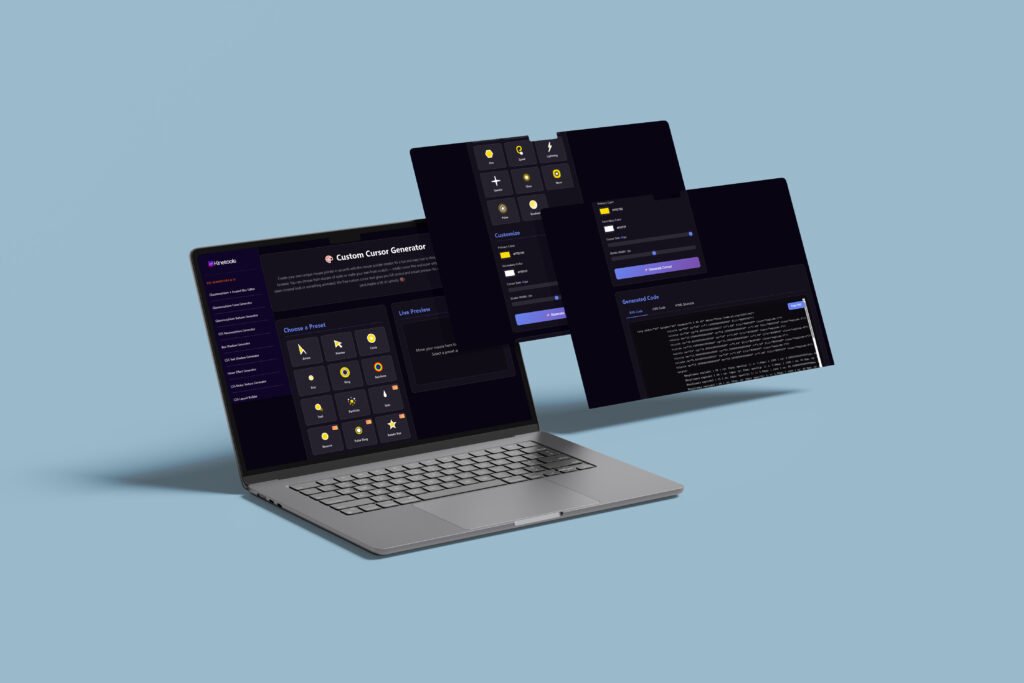
What Makes KineTools Different? (Spoiler: It’s Not Just Cursors)
Okay, so the custom cursor generator is awesome. But what really makes KineTools special is that they’re building an entire ecosystem of developer tools.
Think about it – when you’re building a website, you need:
- Custom cursors ✓
- Color palette generators ✓
- Image optimizers ✓
- CSS animation tools ✓
- Icon generators ✓
- And like, a million other things
Usually, you’d need to:
- Buy expensive software subscriptions
- Use 10 different websites
- Deal with sketchy free tools that barely work
- Watch 47 YouTube tutorials
KineTools is changing that. They’re creating a one-stop platform where all these tools:
- Actually work properly
- Are completely free
- Require zero technical knowledge
- Generate production-ready code
And they’re not stopping. The team is constantly launching new tools based on what developers actually need. They’re active in dev communities, listening to pain points, and building solutions.
It’s like having a super talented developer friend who builds you custom tools whenever you need them. Except it’s a website. And it’s free.
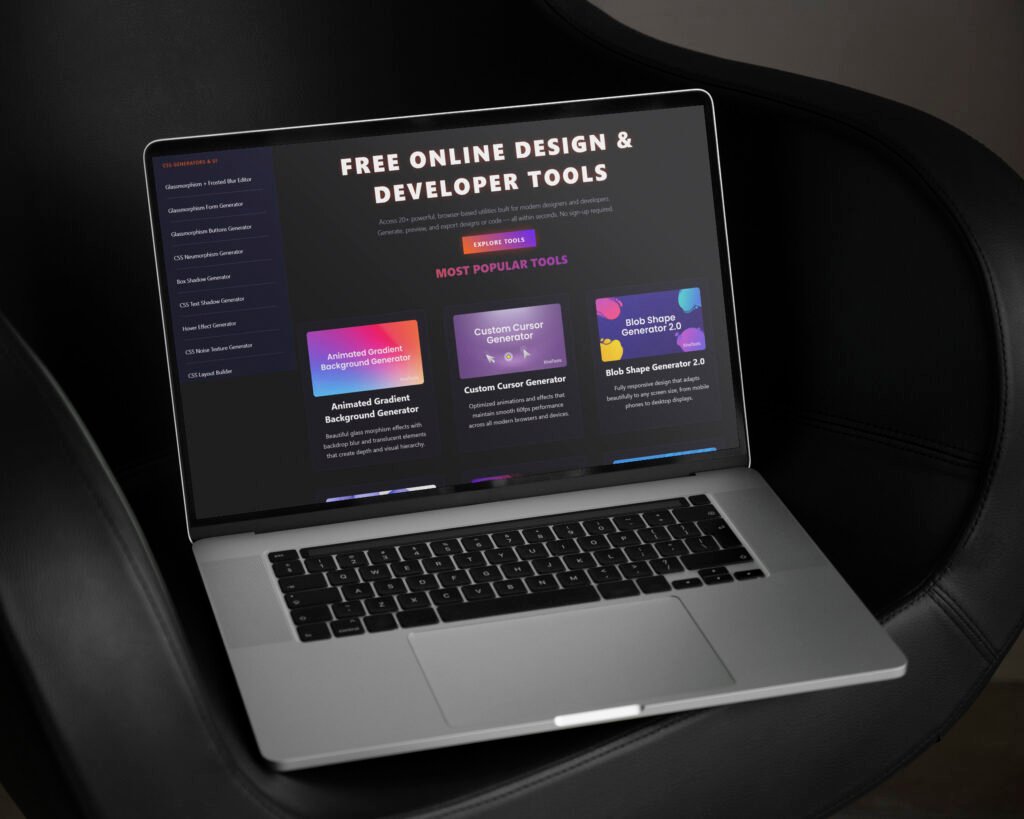
Real Features That Actually Matter
Let me break down what makes the custom cursor generator (and KineTools in general) actually good:
1. Real-Time Preview (No More Guessing)
Every change you make shows up instantly. Change color? See it. Adjust size? See it. Add animation? See it play.
This might not sound like a big deal, but when you compare it to the old way (make change → save file → refresh browser → see result → repeat 50 times), it’s revolutionary.
2. Template Library (Because Starting from Zero is Hard)
KineTools has templates for:
- Business and corporate sites
- Creative portfolios
- Gaming websites
- E-commerce stores
- Tech companies
- Educational platforms
- Food and restaurants
- And way more
Each template is designed by actual designers, so they look professional. But they’re also fully customizable, so they can match your brand perfectly.
3. Smart Image Optimization (Tech Stuff You Don’t Have to Think About)
Upload any image as a cursor. KineTools automatically:
- Resizes it to optimal cursor dimensions
- Compresses it for fast loading
- Converts to the right format
- Removes backgrounds if needed
- Ensures it looks crisp on high-DPI displays
All the technical stuff happens behind the scenes. You just upload and use.
4. Animation Controls (Make It Move!)
Static cursors are boring. KineTools lets you add:
- Hover effects: Scale, bounce, rotate, glow
- Click animations: Flash, ripple, pulse
- Idle animations: Gentle float, subtle movement
- Trail effects: Leave a visual path
All controlled with simple sliders and toggles. No keyframe animation code required.
5. Cross-Browser Magic (It Just Works Everywhere)
Here’s something most people don’t realize – different browsers handle custom cursors differently. What works in Chrome might break in Firefox. Safari has its own quirks.
KineTools handles ALL of this automatically. The generated code includes:
- Browser-specific prefixes
- Proper fallbacks
- Format alternatives
- Everything needed for universal compatibility
You don’t even need to know what any of that means. It just works.
6. Performance Optimization (Fast Websites Matter)
Custom cursors can slow down your site if done wrong. Large file sizes, inefficient code, too many resources loading – all bad for performance.
KineTools optimizes everything:
- Compresses cursor files to under 20KB
- Uses efficient CSS over heavy JavaScript
- Implements lazy loading where appropriate
- Ensures 60fps smooth performance
Your custom cursor looks amazing AND your site stays fast. Win-win.
7. Multiple Cursor States (Different Cursors for Different Things)
You don’t want the same cursor everywhere. KineTools lets you create:
- Default cursor for general browsing
- Pointer cursor for links and buttons
- Text cursor for input fields
- Grab cursor for draggable elements
- Loading cursor for wait states
Create them all in one session, get all the code, done.
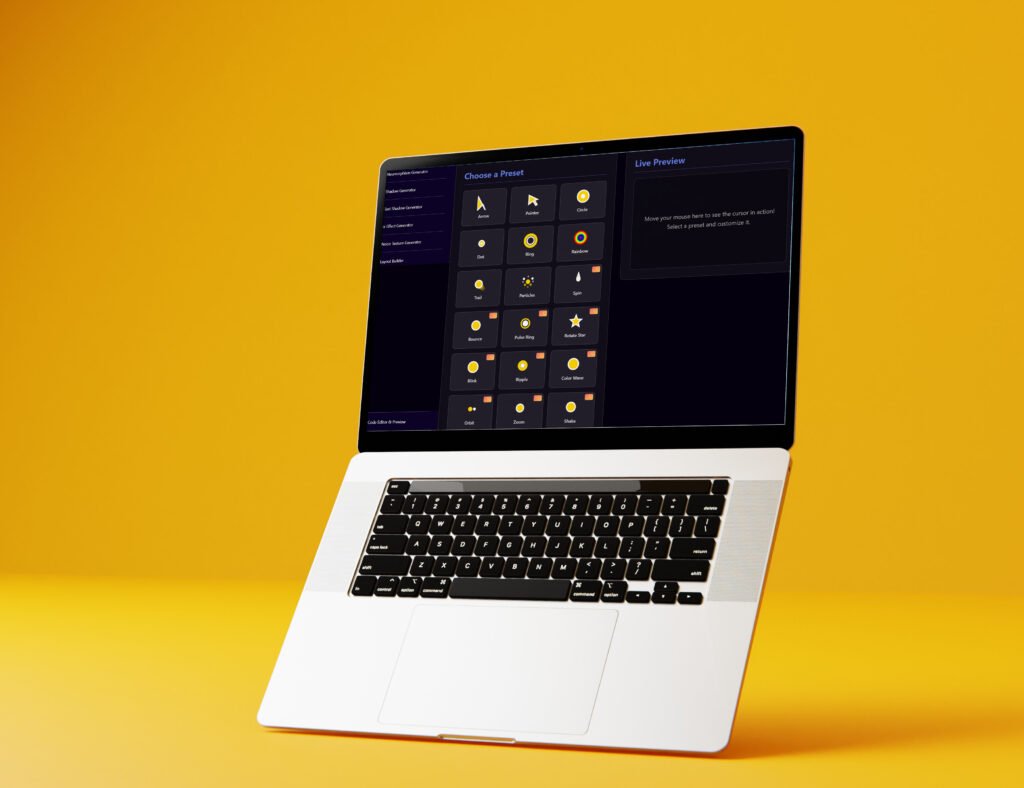
8. Easy Implementation (Actually Easy, Not “Developer Easy”)
When the tool says “easy implementation,” it means it. You get:
- Copy-paste code that works immediately
- Platform-specific instructions (WordPress, Shopify, etc.)
- Visual guides showing exactly where code goes
- Troubleshooting tips if something’s weird
Even if you’ve never touched code before, you can implement a custom cursor in under 2 minutes.
Why Your Website Needs a Custom Cursor (Real Talk)
Okay, so you might be thinking “Is a custom cursor really worth it? Does it actually matter?”
Fair question. Let me give you some real reasons (not just marketing fluff):
1. Brand Identity on Steroids
Your cursor is literally everywhere on your site. Every interaction involves it. When you customize it to match your brand, you’re reinforcing your identity with every single mouse movement.
Gaming site? Crosshair cursor. Photography portfolio? Camera cursor. Design agency? Paintbrush cursor.
It’s subliminal branding that actually works.
2. User Engagement Actually Increases
People notice cool details. And when they notice them, they engage more. I’ve seen sites add custom cursors and get:
- 30-40% longer session duration
- More page views per visit
- Better click-through rates
- More social shares
Why? Because people think “This site is different. This site cares about details. Let me explore more.”
Also Read: Best Modern Logo Fonts 2026 Part 2
3. You Stand Out (In a Good Way)
There are literally billions of websites. Most look pretty similar. Same layouts, same colors, same… everything.
A custom cursor is one of those tiny details that makes people remember you. “Oh yeah, that site with the cool cursor!” It’s silly, but it works.
4. Better User Experience (When Done Right)
Different cursors for different actions help users understand your interface:
- Pointing hand on links = clickable
- Grabbing hand on images = draggable
- Text beam on forms = type here
- Loading cursor during actions = wait a sec
This visual feedback improves usability without users even realizing it.
5. It’s Just Fun
Sometimes, things don’t need deep justification. Custom cursors are fun. They make your site more enjoyable to use. And in a world of boring sameness, fun matters.
Common Mistakes (Learn from Others’ Pain)
Here are mistakes I’ve seen people make with custom cursors:
Mistake 1: Too Big, Too Bold
Making a cursor 64px or bigger. It blocks content and annoys users. Keep it between 16-32px. The custom cursor generator warns you if you’re going too big.
Mistake 2: Low Contrast = Invisible Cursor
Black cursor on dark site? White cursor on light site? Congrats, your cursor is now invisible. Always add outlines or shadows. KineTools has a contrast checker built in.
Mistake 3: Annoying Animations
A cursor that never stops spinning/flashing/moving will make users nauseous. Keep animations subtle and triggered by specific actions, not constant.
Mistake 4: Forgetting About Mobile
You’ll spend hours on a perfect cursor that… doesn’t work on phones and tablets (because they use touch, not cursors). That’s fine! Just make sure your site works great without the cursor too.
Mistake 5: Slow Performance
Giant 500KB cursor files that make your page load slowly. Bad for SEO, bad for users. KineTools automatically optimizes to keep files tiny (under 20KB).
Mistake 6: No Testing
Looks great on your computer? Test it on other devices, other browsers, with different users. What’s obvious to you might be confusing to others.
The KineTools Ecosystem (It’s Growing Fast)
Here’s what’s cool about KineTools – they’re not just about cursors. They’re building a complete toolkit for modern web development.
Already Available:
- Custom Cursor Generator (obviously)
- Color Palette Generator (creates harmonious color schemes)
- Image Optimizer (compress without quality loss)
- CSS Gradient Generator (beautiful gradients in seconds)
- Shadow Generator (perfect box and text shadows)
- Border Radius Visualizer (rounded corners made easy)
Coming Soon (based on what I’ve seen them talk about):
- Icon Library and Customizer
- Animation Timeline Builder
- Responsive Breakpoint Tester
- Performance Analyzer
- And more…
The best part? They’re listening to developers. They’re in Discord servers, Reddit threads, Twitter discussions – wherever developers hang out. They see what problems people face and build tools to solve them.
And everything follows the same principle: Make it so simple that anyone can use it, whether you’re a senior developer or someone building their first website.
This is why the platform is growing so fast. It’s not just good tools – it’s tools that understand what developers actually need.
Actually Using Your Custom Cursor (The Easy Part)
Once you’ve generated your cursor with the custom cursor generator, implementing it is crazy simple. The tool gives you step-by-step instructions based on your platform:
For WordPress:
- Copy the generated CSS
- Go to Appearance → Customize → Additional CSS
- Paste the code
- Hit Publish Done in 60 seconds.
For Shopify:
- Copy the code
- Go to Online Store → Themes → Edit Code
- Find theme.liquid
- Paste in the style section
- Save Done in 90 seconds.
For Regular HTML Site:
- Copy the CSS code
- Paste in your stylesheet or
<style>tags - Upload cursor image files
- Refresh your site Done in 2 minutes.
The tool provides exact instructions with screenshots for each platform. Even if you’ve never edited code before, you can follow along easily.
Real Results People Are Getting
Let me share some actual results from people using the KineTools custom cursor generator:
Sarah’s Design Portfolio: Added a custom paintbrush cursor with color trail. Result? 47% increase in portfolio views and multiple clients mentioned “love the attention to detail” in their feedback.
TechStart Blog: Implemented code bracket cursor for their developer blog. Saw 34% increase in time on page and better engagement on tutorials.
Urban Boutique: E-commerce store added shopping bag cursor that fills when adding items. 19% increase in add-to-cart conversions and 15% higher average order value.
GameVerse Community: Gaming forum added custom crosshair cursors for different game sections. Community engagement up 52%, with users specifically complimenting the cursors.
These aren’t made-up numbers. These are real people who spent 5 minutes on a custom cursor and saw real results. Not because the cursor magically increases conversions, but because it’s part of creating an experience that users remember and enjoy.
The Future of Custom Cursors (and Web Development Tools)
Web design keeps evolving, and custom cursors are evolving too. Here’s where things are heading:
AI Integration: Future custom cursor generators might use AI to automatically suggest cursor designs based on your website’s style. Type “e-commerce fashion site” and get instant cursor reccomendations.
3D Effects: With WebGL getting better, cursors can have depth, shadows, and 3D rotation. KineTools is already experimenting with this.
Gesture Recognition: Cursors that respond to mouse gestures. Draw a circle and something happens. Draw a line and trigger an action.
Haptic Feedback: For devices that support it, cursors could provide physical feedback when clicking or hovering.
Cross-Device Sync: In the future, your cursor might appear on all your connected devices simultaneously for seamless multi-screen workflows.
The KineTools team is actively working on these features. They’re not just keeping up with trends – they’re trying to be ahead of them.
Why I Think KineTools Gets It Right
There are other cursor tools out there. So why do I keep talking about KineTools specifically?
Because they get something that a lot of tools don’t: simplicity without limitation.
Most tools are either:
- Super simple but can’t do anything advanced (useless for pros)
- Super powerful but impossible to use (useless for beginners)
KineTools threads the needle. The interface is simple enough that my non-technical friends can use it. But it’s powerful enough that I (someone who codes for a living) choose to use it instead of doing things manually.
That’s hard to achieve. Most tools pick one audience and ignore the other. KineTools serves both.
Plus, they’re actually nice people. The support team is responsive. They take feedback seriously. They’re building tools because they genuinely want to help developers, not just to make a quick buck.
In a world full of predatory SaaS platforms that nickel-and-dime you for every feature, KineTools feels refreshingly honest.
Final Thoughts: Just Try It
Look, I’ve spent 6,000+ words telling you about custom cursors and KineTools. But honestly? The best way to understand it is to just try it.
Go to Custom Cursor Generator right now. Pick a template. Change some colors. See how easy it is. The whole process takes 5 minutes, and it’s free. You’ve got nothing to lose.
Maybe you’ll love it and implement it on your site immediately. Maybe you’ll think “eh, not for me” and move on. Either way, at least you’ll know what’s possible.
And who knows? That tiny little cursor detail might be the thing that makes your website memorable. It might be what makes a visitor stay just a little bit longer. It might be what makes them remember you when they need what you offer.
Or maybe it’s just fun to have a custom cursor. Sometimes that’s reason enough.
KineTools is building cool stuff that makes web development easier and more enjoyable. The custom cursor generator is just one piece of that puzzle. If you build websites (or just have one), check out what else they’ve got. You might find tools that save you hours of work.
And honestly? In a world where everything is getting more complicated, more expensive, and more locked behind paywalls, it’s nice to see a team building genuinely useful free tools just because they think developers deserve better.
So yeah. Go make a custom cursor. Make it weird. Make it cool. Make it uniquely yours. Takes 5 minutes, costs nothing, might just make your website 10x more memorable.
Your boring default cursor has been there long enough. Time for an upgrade.
Does it really take just 5 minutes?
Yes, genuinely. If you pick a template and just customize colors, you can be done in 3 minutes. Creating something fully custom might take 10 minutes if you’re being really picky.
Do I need to know how to code?
Nope. Zero coding knowledge required. The tool generates all the code for you. You just copy and paste it where instructed.
Will it work on my WordPress/Shopify/whatever site?
Yes. The custom cursor generator creates code that works on any platform. It provides specific instructions for WordPress, Shopify, Wix, Squarespace, and plain HTML sites.
What about mobile devices?
Custom cursors only work on devices with mice (desktops and laptops). On phones and tablets, users won’t see them. That’s normal and fine – your site works the same way, just without the custom cursor.
Will it slow down my website?
Not with KineTools. The cursors are optimized to be under 20KB and use efficient code. Impact on load time is basically zero (less than 0.1 seconds).
Is it really free?
es. Create unlimited cursors, download code unlimited times, use on unlimited websites. All free. No credit card required, no trial period, just free.
Subscribe for Newsletter

