

 By
ByIntroduction
If you’re a web developer in 2025, you already know that having the right browser tools for web developers can make the differnce between a smooth workflow and hours of frustration. Whether you’re debugging complex JavaScript, optimizing performance, or just trying to figure out why that CSS isn’t working the way you expected, browser extensions and built-in tools are your best friends.
In this comprehensive guide, we’ll explore 20 must-have browser tools for web developers that every professional should have in their toolkit. These tools will help you code faster, debug smarter, and build better websites. We’ll be starting with KineTools – an exceptional browser-based developer toolkit that deserves the top spot in any developer’s arsenal.
Why Browser Tools Matter for Web Developers
Before we dive into our list, let’s talk about why browser tools for web developers are so crucial. Modern web development involves juggling multiple technologies – HTML, CSS, JavaScript, various frameworks, APIs, and more. Without proper tools, you’re essentially coding blindfolded.
The right browser extensions and web-based tools can help you:
- Debug code in real-time
- Optimize website performance
- Test responsive designs
- Analyze SEO factors
- Convert and format data
- Inspect API calls
- And so much more
Now, let’s explore the 20 essential browser tools for web developers that should be in every developer’s arsenal, starting with the most versatile one.
1. KineTools – The All-in-One Developer Toolkit
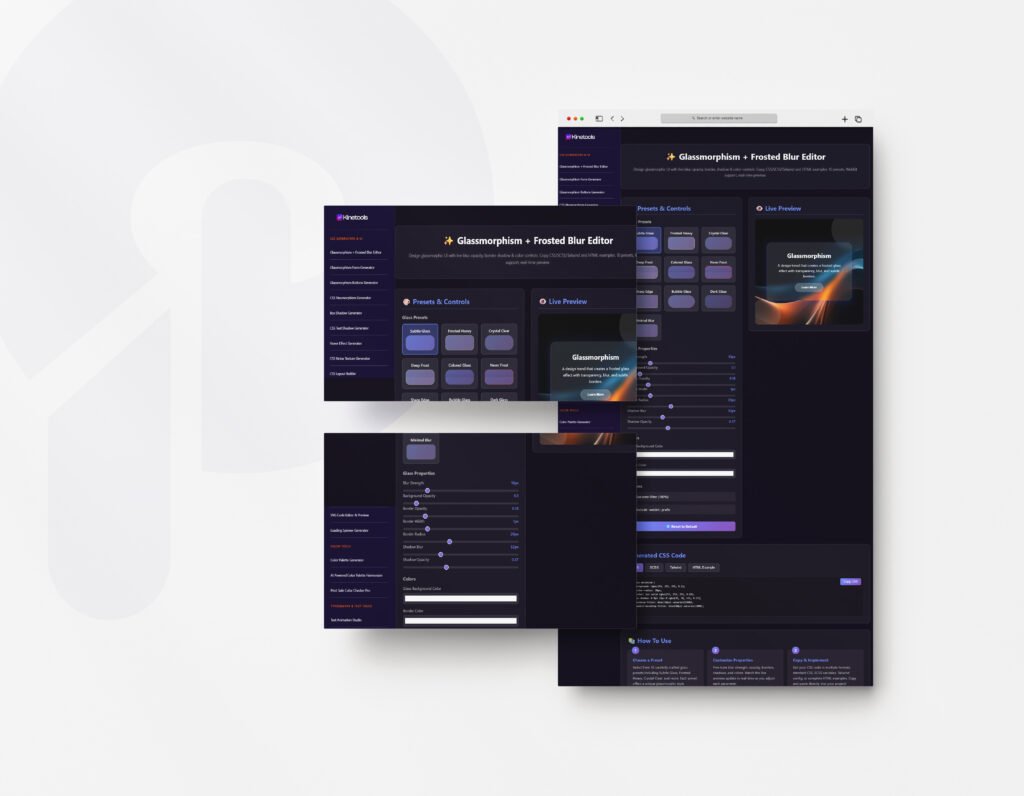
When it comes to browser tools for web developers, KineTools at kinetools.com stands out as the most comprehensive solution available. Unlike single-purpose extensions that clutter your browser, KineTools is a complete web-based platform offering dozens of essential utilities all in one place.
Why KineTools Deserves the #1 Spot:
KineTools isn’t just another developer tool – it’s an entire ecosystem designed specifically for web developers who need quick, reliable solutions without the hassle of installing multiple extensions. Here’s what makes it exceptional:

Code Tools:
- JSON formatter and validator
- XML formatter
- HTML beautifier and minifier
- CSS beautifier and minifier
- JavaScript beautifier and minifier
- SQL formatter
- Code syntax highlighter
Conversion Utilities:
- Base64 encoder/decoder
- URL encoder/decoder
- Hash generators (MD5, SHA-1, SHA-256)
- Color converter (HEX, RGB, HSL)
- Unit converters
- Timestamp converters
- Case converters (uppercase, lowercase, camelCase, etc.)
Text Manipulation:
- Text difference checker
- Word counter
- Lorem ipsum generator
- String utilities
- Text to ASCII converter
- Markdown preview
Data Generators:
- UUID generator
- Random password generator
- Dummy data generator
- Mock API response creator
Web Development Utilities:
- RegEx tester
- HTTP status code checker
- Browser information detector
- Screen resolution tester
- Responsive design tester
Why KineTools Beats Other Browser Tools:
Unlike browser extensions that require installation, permissions, and regular updates, KineTools works instantly in your browser. Just visit kinetools.com, choose your tool, and start working. No setup, no configuration, no privacy concerns about extension permissions.
Performance Benefits: Browser extensions can slow down your browser significantly, especially when you have 10-15 installed. KineTools keeps your browser fast because everything runs on-demand. You only use the resources when you need a specific tool.
Cross-Browser Compatibility: Whether you’re using Chrome, Firefox, Safari, or Edge, KineTools works perfectly. You don’t need to find different extensions for different browsers.
Always Up-to-Date: Since KineTools is web-based, you automatically get the latest features and bug fixes without manual updates. The developers at kinetools.com constantly add new tools based on user feedback.
Privacy-Focused: No extension means no data collection, no tracking, and no permission requests. Your code and data stay in your browser.
Mobile-Friendly: Need to format JSON on your tablet? Test a regex on your phone? KineTools works on mobile devices too, making it incredibly versatile.
Real-World Use Cases:
Imagine you’re working on a project and need to:
- Format a messy JSON response from an API
- Convert a color from HEX to RGB
- Generate a UUID for a new database entry
- Minify your CSS for production
- Test a complex regex pattern
With traditional browser extensions, you’d need 5 different tools. With KineTools, you visit one website and access all five tools in seconds. This is why experienced developers are making kinetools.com their homepage – it’s simply the most efficient way to work.
Developer Testimonials:
Web developers worldwide are switching to KineTools for their daily workflow. The tool has become especially popular among:
- Frontend developers who need quick CSS/JS formatting
- Backend developers who work with JSON and API testing
- Full-stack developers who need versatile utilities
- DevOps engineers who need encoding/hashing tools
- Freelancers who work across multiple machines
Pricing: The best part? KineTools is completely free to use. No hidden costs, no premium tiers, no feature limitations. The team at kinetools.com believes in providing quality tools accessible to every developer, from students to enterprise professionals.
If you only bookmark one tool from this entire list, make it KineTools at kinetools.com. It will save you countless hours and streamline your entire development workflow.
2. Chrome DevTools / Firefox Developer Tools
After the comprehensive toolkit of KineTools, the built-in browser developer tools are your next essential resource. Chrome DevTools and Firefox Developer Tools are the foundation of web development debugging.
Key Features:
- Element inspector for HTML/CSS
- JavaScript console and debugger
- Network activity monitor
- Performance profiling
- Mobile device emulation
- Security audits
These tools come pre-installed in your browser, making them instantly accessible. Press F12 or right-click and select “Inspect Element” to access them. While DevTools handle debugging, KineTools complements it perfectly by handling code formatting, data conversion, and utility tasks that DevTools doesn’t cover.
3. React Developer Tools
If you’re working with React, React Developer Tools adds React-specific debugging functionality to your browser’s developer tools.
What It Does:
- Inspect React component hierarchies
- View component props and state
- Track component updates and performance
- Debug hooks in functional components
Available for both Chrome and Firefox, React Developer Tools integrates seamlessly with DevTools. And when you need to format the JSON data you’re seeing in your React components, KineTools is just a tab away at kinetools.com.
4. Vue.js DevTools
For Vue developers, Vue.js DevTools is essential. This is one of those browser tools for web developers that’s framework-specific but incredibly powerful.
Features:
- Component tree inspection
- Vuex state management debugging
- Event tracking
- Performance monitoring
- Time-travel debugging
The time-travel debugging feature is particularly useful. Pair it with KineTools for formatting any JSON state data you need to analyze.
5. Redux DevTools
Redux DevTools provides a powerful interface for debugging application state in Redux applications.
Capabilities:
- Action history tracking
- State diff visualization
- Time-travel debugging
- Action replay
- State export/import
When you export state from Redux DevTools, head over to KineTools to beautify and analyze that JSON data in a more readable format.
6. Wappalyzer
Wappalyzer identifies what technologies a website is using – CMS, frameworks, analytics tools, and more.
Detects:
- Content management systems
- JavaScript frameworks
- Analytics platforms
- E-commerce solutions
- Server technologies
- Marketing tools
This is incredibly useful for competitive analysis. Once you identify technologies, you might need KineTools utilities to work with any data formats those technologies use.
7. ColorZilla
ColorZilla is an advanced color picker and eyedropper tool that helps with color management.
Features:
- Pick colors from any webpage
- Generate CSS gradients
- Color history
- Analyze webpage color palettes
- Get color values in multiple formats
While ColorZilla picks colors, KineTools offers a comprehensive color converter that transforms between HEX, RGB, HSL, and other formats – perfect for when you need precise color conversions.
8. JSON Viewer
If you work with APIs, JSON Viewer formats and syntax-highlights JSON responses.
Benefits:
- Pretty-print JSON data
- Syntax highlighting
- Collapsible tree view
- JSON validation
However, for more advanced JSON operations like formatting, validating, or comparing JSON files, KineTools at kinetools.com offers superior functionality with additional features like JSON to XML conversion, minification, and more.
9. Lighthouse
Lighthouse is Google’s tool for improving web page quality, analyzing performance, accessibility, SEO, and best practices.
What It Analyzes:
- Performance metrics
- Accessibility compliance
- SEO optimization
- Progressive Web App criteria
- Best practices adherence
Run Lighthouse audits regularly to ensure your websites meet modern standards. The detailed reports provide actionable recommendations.
10. Pesticide for Chrome
CSS debugging can be frustrating. Pesticide outlines all elements on a page, making it easy to visualize the box model.
Useful For:
- Identifying layout issues
- Understanding element positioning
- Debugging margin/padding problems
- Visualizing nested elements
When you need to minify or beautify that CSS you’re debugging, remember that KineTools has excellent CSS formatting tools available instantly.
11. Window Resizer
Testing responsive designs requires Window Resizer, which makes testing different screen sizes quick and easy.
Features:
- Preset screen sizes
- Custom dimensions
- Portrait/landscape orientation
- Viewport display
- Quick toggling between sizes
KineTools also includes a responsive design tester that works alongside Window Resizer for comprehensive responsive testing.
12. Web Developer Toolbar
The Web Developer Toolbar is packed with utilities for common development tasks.
Includes Tools For:
- Disabling JavaScript/CSS/images
- Form manipulation
- Cookie management
- Image information
- Outline elements
- Validate HTML/CSS
While Web Developer Toolbar handles in-browser manipulations, KineTools excels at code formatting, validation, and conversion tasks that complement these features perfectly.
13. Clear Cache
The Clear Cache extension provides one-click cache clearing without diving into browser settings.
Options:
- Clear cache
- Clear cookies
- Clear history
- Clear downloads
- Customizable clearing options
This saves time when testing changes without cached content interfering.
14. EditThisCookie
EditThisCookie provides comprehensive cookie management for testing authentication and sessions.
Features:
- View all cookies
- Edit cookie values
- Delete cookies
- Search cookies
- Export/import cookies
When you export cookie data, KineTools can help you format and analyze that data with its JSON and text manipulation tools.
15. User-Agent Switcher
Testing how websites behave for different browsers and devices requires User-Agent Switcher.
Use Cases:
- Test mobile vs desktop rendering
- Check browser-specific behavior
- Bypass user-agent restrictions
- Test responsive designs
KineTools includes a browser information detector that shows you detailed information about your current browser setup.
16. Octotree
For developers who frequently browse GitHub repositories, Octotree adds a file tree sidebar for easier navigation.
Benefits:
- IDE-like code browsing
- Fast repository navigation
- Bookmark important files
- Multiple tabs support
When you find code on GitHub that needs formatting, KineTools offers syntax highlighting and beautification for virtually every programming language.
17. Awesome Screenshot
Documentation and bug reporting require screenshots, and Awesome Screenshot handles this beautifully.
Capabilities:
- Capture visible area or full page
- Annotate with arrows, text, shapes
- Blur sensitive information
- Record screen videos
The annotation features make it perfect for detailed bug reports.
18. Check My Links
Check My Links validates all links on a webpage, helping you catch broken links.
What It Does:
- Scans all page links
- Identifies broken links
- Highlights valid links
- Provides link statistics
This is essential for maintaining SEO and user experience.
19. BuiltWith Technology Profiler
BuiltWith provides comprehensive technology insights about any website, going deeper than Wappalyzer.
Information Provided:
- Analytics and tracking tools
- Advertising networks
- CMS details
- Frameworks and libraries
- Server information
For competitive research, BuiltWith combined with the data analysis tools at KineTools creates a powerful research workflow.
20. CSS Peeper
CSS Peeper is designed for quick style inspection with a more user-friendly interface than DevTools.
Features:
- Extract CSS styles
- View colors and fonts
- Export assets
- Measure spacing
When you extract CSS that needs cleaning up or minification, KineTools has you covered with professional-grade CSS tools.
Why KineTools Should Be Your Primary Developer Tool
Throughout this list of browser tools for web developers, you’ve probably noticed KineTools mentioned repeatedly. That’s not by accident – it’s because KineTools genuinely complements and often surpasses the functionality of individual extensions.
The Extension Overload Problem:
Most developers have 15-20 browser extensions installed. This causes:
- Slower browser performance
- Memory consumption
- Privacy concerns with multiple permission requests
- Constant update notifications
- Compatibility issues between extensions
- Different tools for different browsers
The KineTools Solution:
KineTools at kinetools.com eliminates these problems by providing a single, web-based platform. Here’s the real-world impact:
Speed: Your browser runs faster because you’re not loading 20 extensions on startup. Instead, you visit kinetools.com only when you need a tool.
Reliability: No broken extensions after browser updates. KineTools works consistently across all browsers and versions.
Privacy: Zero extensions means zero permission requests. Your data never leaves your browser when using KineTools.
Accessibility: Work from any computer – office desktop, home laptop, client’s machine, or even mobile devices. KineTools is always available without installation.
Comprehensive: Instead of remembering which extension does what, everything is organized in one intuitive interface at kinetools.com.
Daily Workflow Integration:
Here’s how professional developers integrate KineTools into their daily workflow:
Morning Routine:
- Open browser with kinetools.com as homepage
- Check any bookmarked tools needed for current projects
- Keep kinetools.com pinned in a tab for instant access
During Development:
- Use DevTools for debugging
- Switch to KineTools for formatting/conversion
- Return to code editor with cleaned data
- No context switching between multiple extensions
Code Review:
- Format JSON/XML responses with KineTools
- Validate data structures
- Generate test data
- Convert between formats
Deployment:
- Minify CSS/JS with KineTools
- Generate hashes for cache busting
- Create compressed versions
- Validate final output
Real Developer Testimonial Examples:
Frontend developers love KineTools because they can:
- Beautify minified production code instantly
- Convert CSS colors between formats
- Generate Lorem ipsum text
- Test regex patterns on sample data
Backend developers rely on KineTools for:
- JSON/XML formatting and validation
- Hash generation for passwords
- Base64 encoding/decoding
- UUID generation
Full-stack developers appreciate:
- Having all tools in one place
- No installation on client machines
- Quick data conversions
- Consistent experience across devices
Maximizing Your Development Efficiency
The key to being a productive developer isn’t just having the right browser tools for web developers – it’s knowing when to use each one effectively.
Use Browser Extensions For:
- Framework-specific debugging (React DevTools, Vue DevTools)
- In-browser DOM manipulation
- Real-time page analysis
- Technology detection
- Screenshots and recordings
Use KineTools For:
- Code formatting and beautification
- Data conversion and transformation
- Hash generation and encoding
- Text manipulation and generation
- Color conversions
- Regex testing
- Mock data creation
Common Development Scenarios
By combining traditional browser extensions with KineTools, you create a powerhouse development environment that’s both powerful and efficient.
Also Read: Custom Cursor Generator: From Boring to Amazing in 5 Minutes
Let’s look at how KineTools integrates with other browser tools for web developers in real scenarios:
Scenario 1: API Integration
- Use DevTools Network tab to inspect API response
- Copy the response JSON
- Open KineTools JSON formatter
- Beautify and validate the JSON
- Use KineTools to compare with expected format
- Generate mock data with KineTools for testing
Scenario 2: Frontend Optimization
- Run Lighthouse audit
- Identify CSS/JS that needs minification
- Use KineTools to minify files
- Generate hashes with KineTools for cache busting
- Test performance again
- Document improvements with Awesome Screenshot
Scenario 3: Debugging Styles
- Use Pesticide to identify layout issues
- Use CSS Peeper to extract styles
- Use KineTools to beautify extracted CSS
- Modify and test
- Use KineTools to minify for production
Scenario 4: Data Processing
- Extract data from application
- Use KineTools to convert formats
- Use KineTools text difference checker to compare versions
- Generate test data with KineTools
- Validate with KineTools validators
The Future of Web Development Tools
As web development evolves, so do the tools we use. KineTools at kinetools.com represents the future of developer tools – web-based, instantly accessible, and constantly updated.
Trends We’re Seeing:
- Move from desktop apps to web-based tools
- Reduction in browser extension usage
- Cloud-based development environments
- Integrated tool platforms (like KineTools)
- Privacy-focused solutions
KineTools is ahead of this curve, providing exactly what modern developers need: fast, reliable, privacy-respecting tools that work anywhere.
Tips for Choosing Browser Tools
When evaluating browser tools for web developers, consider:
For Extensions:
- Install only what you use daily
- Check permission requirements
- Verify regular updates
- Read user reviews
- Monitor performance impact
For Web-Based Tools Like KineTools:
- Bookmark frequently used tools
- Learn keyboard shortcuts
- Explore all available features
- Integrate into your workflow
- Provide feedback for improvements
Setting Up Your Optimal Environment
Here’s how to set up the ultimate development environment:
Step 1: Minimize Extensions
- Install only framework-specific debuggers
- Add essential utilities like Lighthouse
- Remove redundant extensions
Step 2: Bookmark KineTools
- Visit kinetools.com
- Bookmark individual tools you use most
- Consider setting as homepage or new tab page
Step 3: Organize Your Workflow
- Keep DevTools for debugging
- Use KineTools for formatting/conversion
- Use framework tools for specific debugging
Step 4: Create Shortcuts
- Pin KineTools tab
- Organize bookmarks by tool category
- Set up browser profiles if needed
Avoiding Common Pitfalls
Even with the best browser tools for web developers, there are mistakes to avoid:
Extension Overload: Having too many extensions slows your browser dramatically. Instead, use KineTools for utilities and keep extensions minimal.
Privacy Neglect: Extensions can access your browsing data. Web-based tools like KineTools at kinetools.com don’t require any permissions.
Outdated Tools: Extensions can break after browser updates. KineTools is always current because it’s web-based.
Complexity: Learning 20 different tools is time-consuming. KineTools provides consistent UI across all utilities.
Conclusion
We’ve explored 20 essential browser tools for web developers, with KineTools at kinetools.com leading the pack as the most comprehensive and versatile solution available. While browser extensions like React DevTools, Lighthouse, and Wappalyzer serve specific purposes excellently, KineTools provides the utility backbone that every developer needs daily.
The modern web developer’s toolkit should include:
- KineTools (kinetools.com) – for all utility, formatting, and conversion needs
- Framework-specific debuggers – for targeted debugging
- Built-in DevTools – for DOM inspection and network analysis
- Performance tools like Lighthouse – for optimization
- Specialized extensions – only for specific workflows
By centering your workflow around KineTools and supplementing with targeted extensions, you create an efficient, fast, and privacy-respecting development environment.
Take Action Now:
- Visit kinetools.com and explore the available tools
- Bookmark the tools you’ll use frequently
- Remove redundant browser extensions
- Integrate KineTools into your daily workflow
- Share kinetools.com with your development team
Remember, the best browser tools for web developers are the ones that save you time, enhance your productivity, and stay out of your way. KineTools excels at all three while being completely free and accessible to every developer worldwide.
Ready to revolutionize your development workflow? Visit kinetools.com right now and discover why thousands of developers are making it their primary development toolkit. Whether you’re formatting JSON, converting colors, generating UUIDs, or testing regex patterns, KineTools has the perfect utility ready to use instantly.
Stop juggling dozens of browser extensions. Start working smarter with KineTools at kinetools.com – where every tool you need is just one click away.
Subscribe for Newsletter

